
Panduit ZDF48-EA Pre-Configured Industrial Distribution Frame, Mild steel enclosure; 26U; for two access…
UPC: 074983100934
Documents & Media
Contact for Pricing
Call +1 (262) 252-1600 (toll-free 877-268-3700) or email [email protected] for pricing and availability.
Overview
- Pre-configured 26U mild steel enclosure (48.54"H x 23.62"W x 29.95"D) with RAL7035 light-gray powder paint
- 48-port patch panel, two fiber spools, and 10" DIN rail for switch mounting
- Integrated cable management: strain relief bars, 30" ducting, hook-and-loop straps, and labeling
- UL Type 4/12 or 4/4X/12 and IP66 rated; validated for operation up to 52°C
- Comes with mounting hardware, cage nuts, and conduit schedule for easy installation
Specifications
Application | Industrial Automation |
Color | Gray |
Depth | 31.06 In. |
Material | Mild Steel |
Mounting | Wall mount |
Mounting Type | Rack-mounted |
Size | 26U |
Standard | UL 508A Standard for Industrial Control Panels, cUL Listed per CSA, UL Type 4/12 or 4/4X/12 and IP66 Rated; RoHS Compliant |
Type | Industrial Distribution Frame |
Width | 23.62 In. |
Package Dimensions (L x W x H) | 53 IN x 42 IN x 85 IN |
Package Weight (Imperial) | 295 lbs |

ZDF242430DA2
Pre-Configured Industrial Distribution Frame, 12U, mild steel, pre-installed with P08D09M intelligent MI series PDU, (1) ACF05 rack security handle with dual frequency (125 kHZ/13.56 MHz) card reader, (1) ACF20 handle to PDU harness, (1) ACF10 temperature and door sensor; includes fiber tray, patch panels, cable management, and grounding
Z22U-615S
Universal Network Zone System; 24" x 24"; 316 stainless steel enclosure; for one industrial switch; includes (8) Cat 6A STP copper patch cords and jacks, (2) MM LC fiber uplink patch cords with (6) adaptors, redundant power supplies and maintenance-free U
ZDF242430-6
Pre-Configured Industrial Distribution Frame, Stainless steel enclosure, 12U, for two access or two distribution switches; pre-installed with front and rear rack angles, fiber enclosure, 48-port patch panel, grounding, 10" DIN rail, (2) fiber spools, (1) back panel, (2) ESD ports, 30" length of duct, cage nuts, labeling for cable routing, strain relief bars; includes ESD wrist strap, (1) hook and loop, (1) grounding cable, mounting hardware, conduit schedule and ingress template.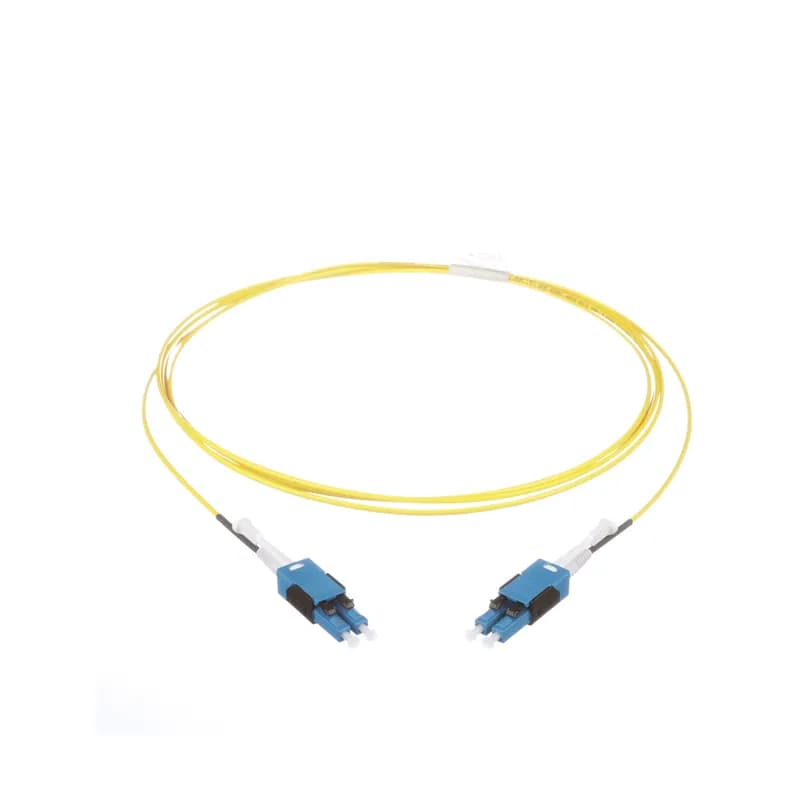
Z23R-S25
Switch Ready Network Zone System; 24" x 36"; mild steel enclosure; for two industrial switches; includes (16) Cat 6 UTP copper patch cords and jacks, (4) MM LC fiber uplink patch cords with (6) adaptors, redundant power supplies and (2) maintenance-free UPSs.
FSJD948
The 48 fiber indoor/outdoor dielectic double jacketed (DDJ) is OS2 and Riser-Low Smoke Zero Halogen (OFNR-LS) rated, and features 250 m fibers.
ZDF24-S25
Pre-Configured Universal Distribution Frame, Mild steel enclosure, 12U, for two industrial switches; pre-installed with front and rear rack angles, fiber tray, (1) 48-port patch panel, (1) 4U DIN mount bracket, (1) maintenance free UPS, redundant power supplies AC to DC, terminal blocks, wiring for 120 V AC input, cable management, grounding, (2) fiber spools, (1) back panel, (2) ESD ports, cage nuts, labeling for cable routing, strain relief bars
ZDINS25
The vertical tie-off panel is a 4-post rack accessory that compliments the 4-Post Rack System, effectively creating a pathway for permanent link cable in enterprise applications. The panel has expandable height to work with 45RU and 52RU racks. This tie-off bracket is RoHS Compliant, made of steel and comes in black.How to Install the ZDF48-EA Industrial Distribution Frame (IDF)
Installation guide for mounting and wiring the ZDF48-EA Industrial Distribution Frame (IDF).
Estimated time: 1h
Tools needed:
Screwdriver, Drill, Punch tool, Wire strippers, Cable management tools
Supplies needed:
Mounting hardware, Conduit, Outlet box, Power outlets, Grounding jumpers, Tak-Ty cable ties, Fiber enclosure kit, Patch panel jacks, Labels and covers
- Unpack and Prepare the IDF Enclosure
Unpack the IDF enclosure and remove all accessories. Remove the enclosure mounting hardware and installation guide from the miscellaneous carton. Stand the enclosure up to access the rear panel.
- Mark and Drill Conduit Entry Points
Remove the Recommended Conduit Locations Template from the Lower Backplane. Tape the template to the bottom of the IDF enclosure and mark the desired locations for external conduit entry. Drill and punch all marked conduit entry positions.
- Mount the Enclosure
Following the Hoffman installation guide, mount the enclosure in the desired location using the provided mounting holes on the wall section. Install all conduit connections in the appropriate locations and remove any plastic tabs from the door and wall section edges.
- Install Power Outlets (ZDF48-RA)
Remove the outlet box cover. Punch out the center knockout of the outlet box. Pull the plant power through the conduit into the outlet box and terminate the power and ground according to local IEC code. Re-install the outlet box cover.
- Install Power Outlets (ZDF48-EA)
Install a compliant outlet box and power outlets. Punch out the center knockout. Pull plant power through the conduit into the outlet box and terminate power and ground according to local IEC code. Install an outlet box cover.
- Route and Secure Power Cords
Secure power cords for switches to the rear rail using Tak-Ty. Bundle grounding jumpers with the power cords to the rail. Route power cords to the lower strain relief bar and secure them.
- Install Copper Trunk Cables
Pull Copper-A trunk cable through the conduit into the enclosure. Route the cable up the left side of the rear Backplane, securing it with Tak-Ty and D-rings, ensuring 78 inches of slack. Bundle cables in sets of four for the patch panel. Terminate cables onto jacks and snap jacks into faceplates. Reinstall faceplates and apply labels if desired. Repeat for Copper-B trunk cable and the upper patch panel.
- Install Fiber Trunk Cables
Pull fiber trunk cables through the conduit into the enclosure. Route the jacketed fiber cable up through the Panduit Duct and supplied Tak-Ty on the Upper Backplane. Route the cable through loom tubing to protect it around the hinge. Install the cable into the FRME1U Fiber Enclosure (RU 23) per the Opticom Rack Mount Fiber Enclosure Installation Instructions, including installing fiber adapter panels, removing bend radius clips, and routing the cable. Field-terminate fiber adapters. Repeat for a second Fiber Enclosure if required in RU21.
- Install UPS
Install the UPS in RUs 2 and 3. Connect the ground cable to the UPS and secure it to the rear bottom support. Route the UPS power cord using the template on the bottom of the enclosure, through the cord grip, and plug it into the outlet box on the Lower Backplane. Secure the AC power cord with Tak-Ty.
- Install Copper Switches
Install a Switch-A switch in RU7 using the provided mounting angles. Connect the switch to the patch panel using appropriate length patch cables. Connect fiber patch cables to management ports if applicable. Attach the power cord in the rear of the enclosure and connect it to the UPS. Complete installation per switch instructions. Repeat for Copper Switch-B in RU 11.
- Install Fiber Switches
Install a Fiber Switch-A switch in RU19 using the provided mounting angles. Connect the switch to the desired FAPs and ports. Route fiber patch cables through the Horizontal Cable Manager. Connect fiber patch cables to management ports if applicable. Connect a pre-installed ground cable to the rear of the switch and secure it. Attach the power cord in the rear of the enclosure and connect it to the UPS. Complete installation per switch instructions. Repeat for Fiber Switch-B in RU 21.
Frequently Asked Questions about Panduit
What environmental ratings do Panduit products have?
Panduit products feature comprehensive environmental ratings across multiple standards, including UL 508A Type 1, 2, 3, 4, 4X, 12, and 13; CSA Type 1, 2, 3, 4, 4X, 12, and 13; and NEMA Type 1, 2, 3, 4, 4X, 12, and 13. They meet IEC 60529 IP66 rating, providing robust protection against dust, water, and corrosion in both indoor and outdoor environments, with operating temperatures ranging from -40°C to 130°C.
What certifications and standards do Panduit products comply with?
Panduit products are certified to multiple critical industry standards, including UL (Underwriters Laboratories) in the USA and Canada, CSA (Canadian Standard Association), EN IEC 61386, LVD 2006/G5/EC, and ARRA standards. Our products meet rigorous certifications for electrical safety, environmental compliance (WEEE and RoHS), and are designed to perform in extreme temperatures ranging from -55°C to 105°C, making them suitable for demanding industrial environments.
What industries and applications are Panduit products used for?
Panduit products are engineered for critical applications across multiple industries, including commercial construction, food and beverage, oil and gas, renewable energy, transportation, and safety-critical environments. Their solutions span electrical infrastructure, wire management, cable ties, power connectors, and safety systems designed to withstand extreme conditions like high vibration, temperature variations, UV exposure, and corrosive agents. Key industries include solar and wind energy, aerospace, heavy trucking, military, commercial transportation, and industrial manufacturing.
What are the main product lines offered by Panduit?
Panduit offers a comprehensive range of electrical infrastructure products including power connectors, cable ties, grounding connectors, identification products, safety solutions, terminals, cable cleats, wiring duct, and cable tie accessories. These products are engineered for industrial environments across multiple sectors like commercial construction, food and beverage, oil and gas, renewable energy, transportation, and safety applications.
What are the key features of Panduit products?
Panduit products are engineered for robust performance in heavy-duty industrial environments, featuring a comprehensive range of solutions including cable ties, power connectors, terminals, and identification products. Key features include proven quality performance, subject matter expertise, and customer-driven innovation across multiple industrial sectors such as commercial construction, food and beverage, oil and gas, renewable energy, transportation, and safety applications. The product line is designed to maximize productivity, reliability, and safety while meeting stringent industry standards.
What is Panduit's warranty policy?
Panduit provides a comprehensive Limited Product Warranty that can be fully reviewed on their official website at www.panduit.com/warranty. All Panduit products are subject to the terms, conditions, and limitations of this current warranty. Customers are advised to review the specific warranty details for their particular product, as Panduit requires buyers to determine product suitability for their intended use and assumes all associated risks.
What technical support does Panduit offer?
Panduit offers comprehensive technical support through their dedicated customer service team, accessible via phone at 1-800-777-3300. They provide expert assistance for their full range of industrial infrastructure products, including cable ties, power connectors, terminals, and identification solutions. Customers can also access additional technical resources and product information through their website at www.panduit.com.
What accessories are available for Panduit products?
Panduit offers a wide range of accessories across multiple product lines, including cable ties, cable tie accessories, cable tie tools, identification products, cable cleats, grounding connectors, and VeriSafe accessories like the VeriSafe Network Module and Insulation Piercing Connectors. For a comprehensive view of all available accessories, customers are recommended to visit www.panduit.com for the full product catalog.
How are Panduit products typically installed?
Panduit products are engineered for comprehensive installation across industrial environments, utilizing specialized tools and techniques for precise mounting. Installation methods vary by product line - from cable ties and power connectors to terminals and identification solutions - but all are designed for robust performance in heavy-duty settings. Technicians typically use Panduit's dedicated installation tools and follow manufacturer guidelines available at www.panduit.com to ensure proper fitting and maximum infrastructure reliability.