Contact for Pricing
Overview
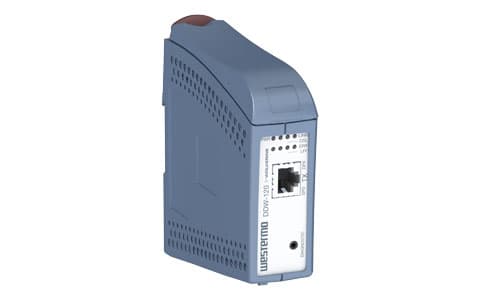
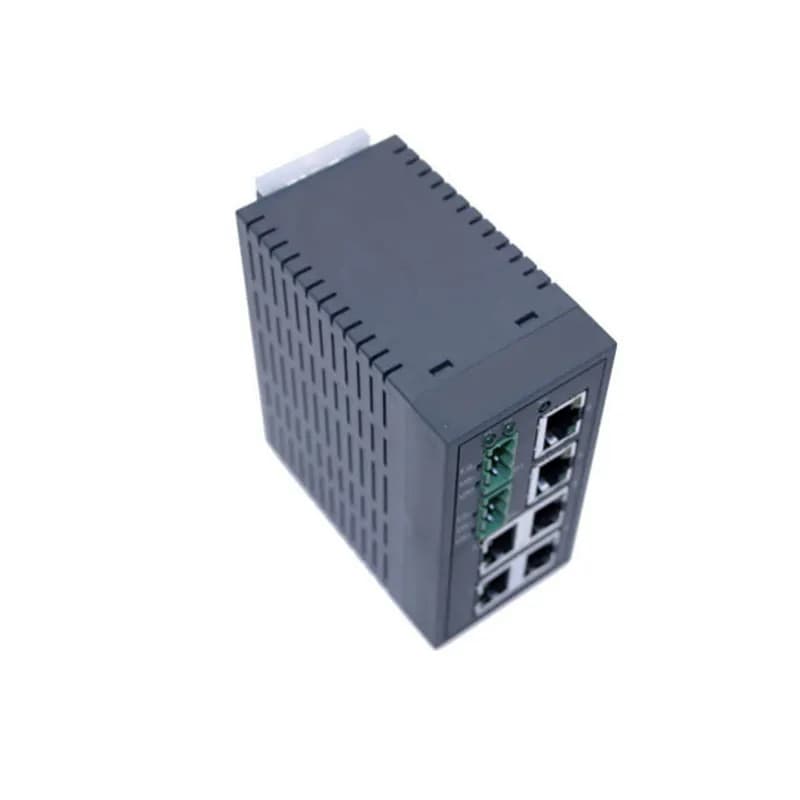
- One 10/100 Mbit/s Ethernet port (RJ-45)
- One DSL port supporting 192 kbit/s to 15.3 Mbit/s
- 2-position detachable screw terminal for DSL connection
- Operates on 10-60 VDC
- Industrial temperature range: -40 to +70 °C (-40 to +158 °F)
Specifications
Package Weight (Imperial) | 0.77 lbs |

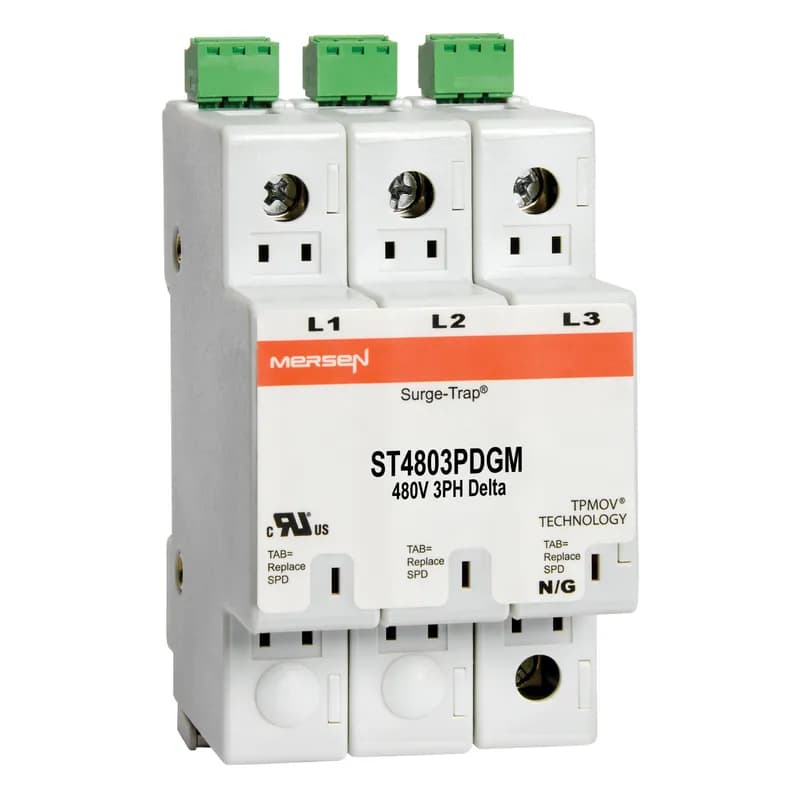
ST4803PDGM
Surge-Trap® Surge Protective Device is a no-fuse surge suppressor. The Surge-Trap is a UL 1449 Third Edition compliant modular style surge protective device that is DIN-rail mountable featuring a fail-safe self-protected design, visual indicator and a small foot print. A remote indicator option provides status to critical control circuit. The Surge-Trap provides advanced overvoltage protection utilizing Mersen's patented TPMOV® technology without additional protection devices. 480 Volts 3P Delta system type without N-G mode, with microswitch .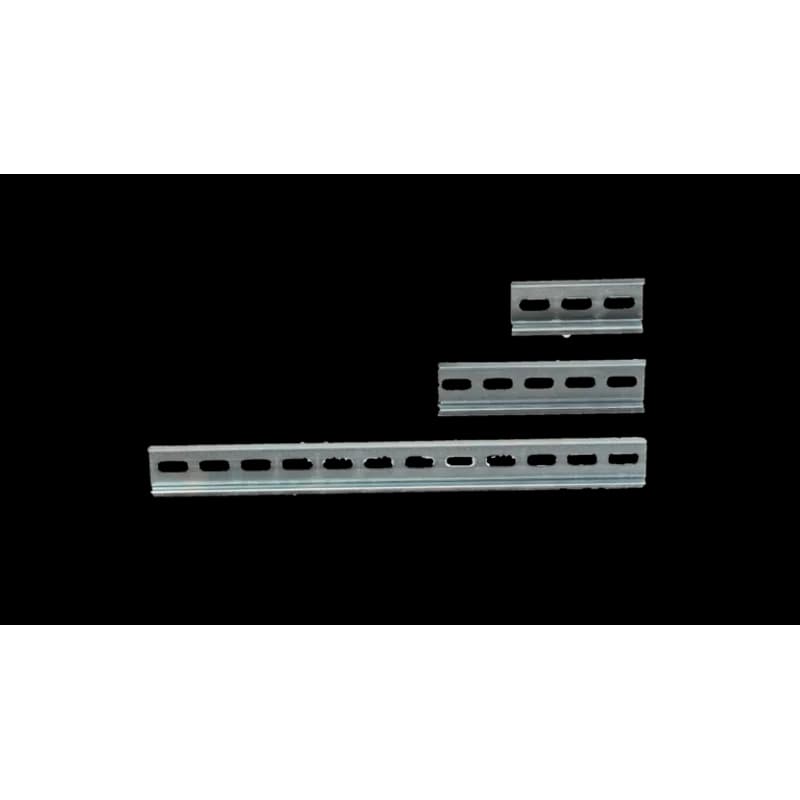
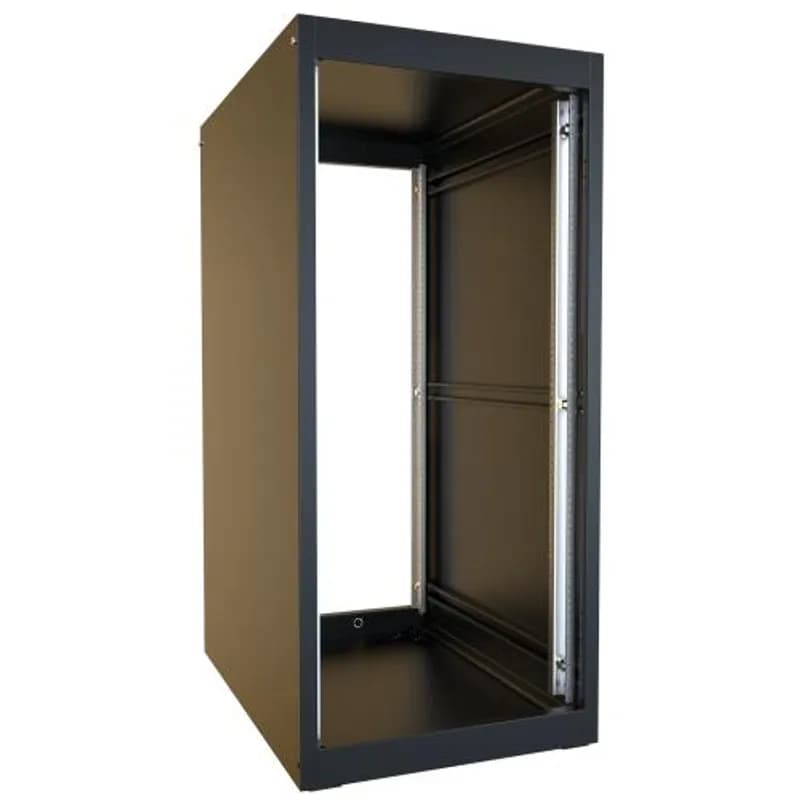
CUSTOMDIN
DIN rail is a universal mounting option for electrical and industrial control products such as circuit breakers electrical supplies terminal blocks and more. The rail system is used to stabilize a wide variety of devices and products. Ordering pre-cut DIN rail helps increase productivity and decrease jobsite clutter. On-site Flexibility Streamline custom cuts DIN rail to any length so it is ready to use when it arrives on the jobsite. Additionally DIN rail can be easily removed if relocation is necessary. Features of Custom DIN Rail from Streamline - All cut DIN rail from Streamline is galvanized steel made to eliminate rusting. Streamline ensures that all custom DIN rail orders are: De-burred Custom Length Any quantity 1-1000+ Quick turnaround (typically 2 weeks or less from receipt of order) This mechanical support structure is a must for all electrical parts solutions big or small. DIN rail allows for mounting hardware easily and quickly. These durable and versatile rails make the perfect solution for all mounting applications. Save space time and money with these cost-effective mounting solutions. Order your custom cut DIN rail today!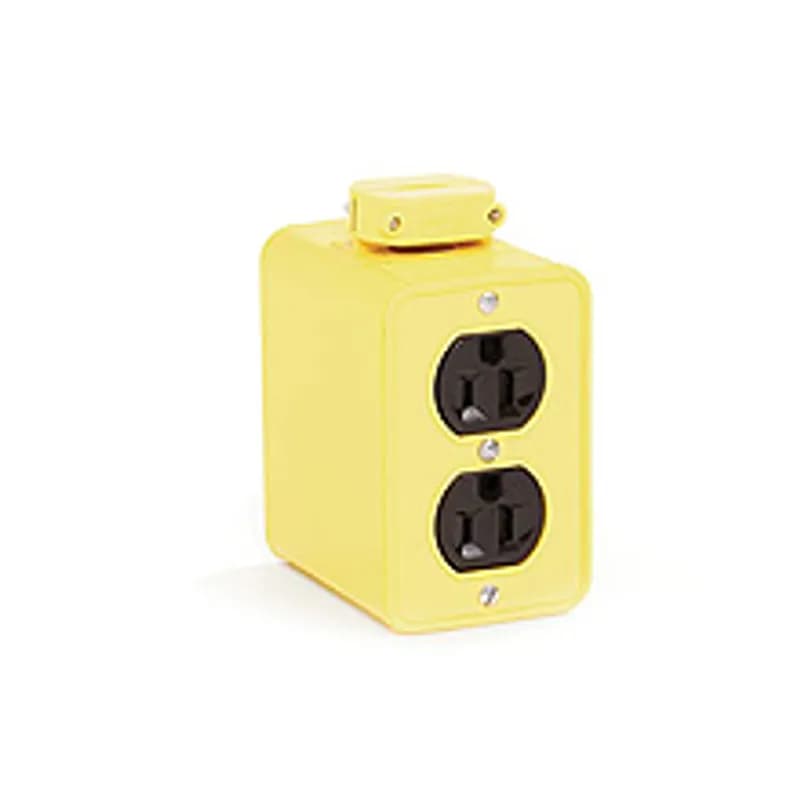
3085
Super-Safeway® Multiple Outlet Box, Extended Depth, 2-Sided, F2 (1/2") Cord Grip Body, with Flip Lids for (2) Duplex Not Included
F62ERLNSNSNM002
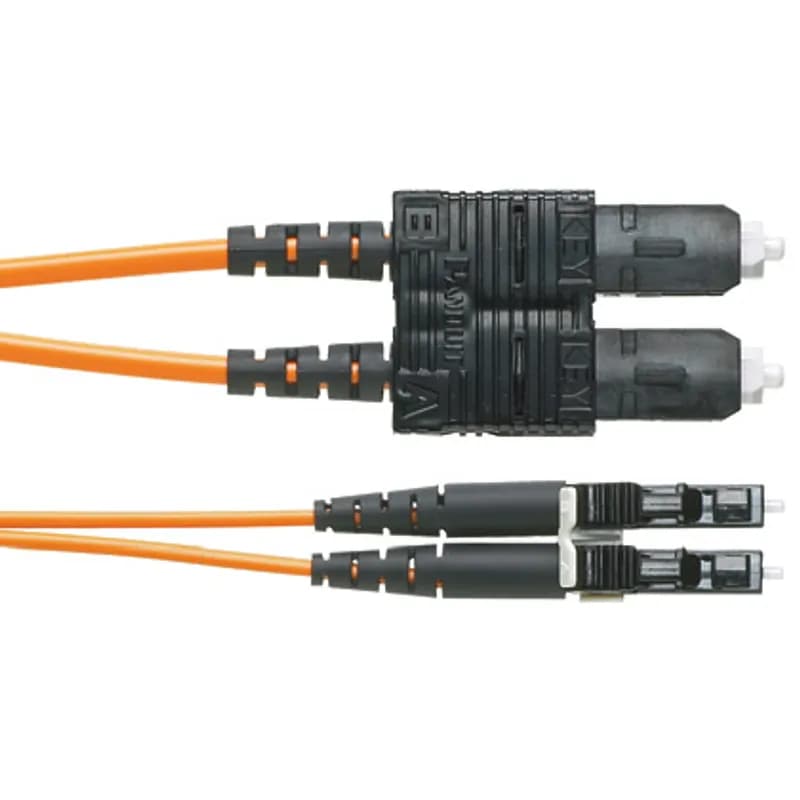
OM1 2 fiber, 16mm jacket, patchcord, Riser (OFNR) rated, LC duplex to SC duplex, Std IL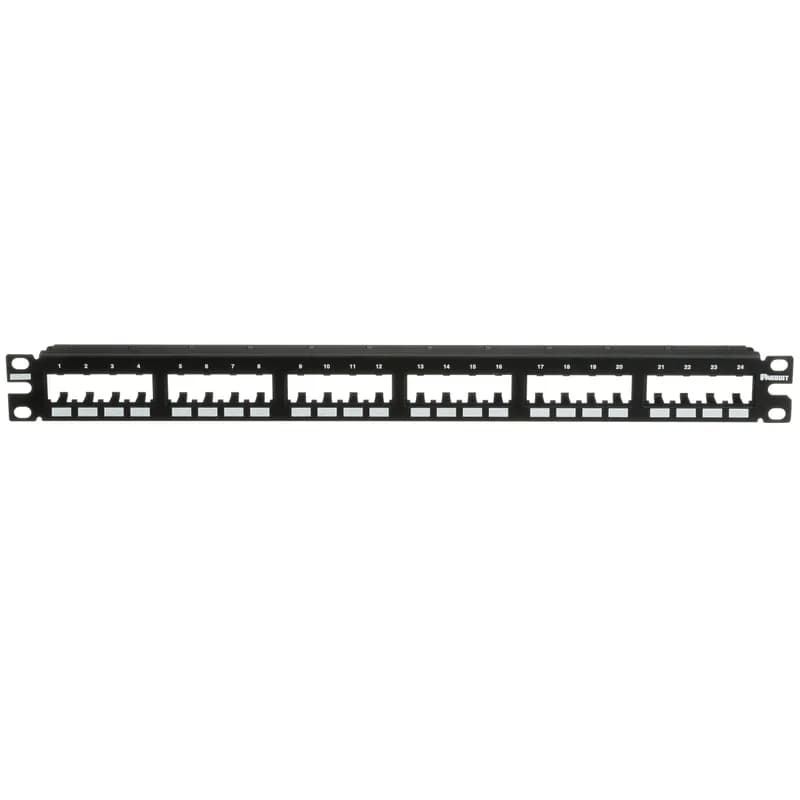
CPP24FMWBLY
The Mini-Com Flush Mount Modular Patch Panel accepts up to 24 Mini-Com Modules for unshielded applications in 1 RU, and mounts to 19 inch and 23 inch racks and cabinets. The panel mounts flush with the rack and can be identified with adhesive labels and is black.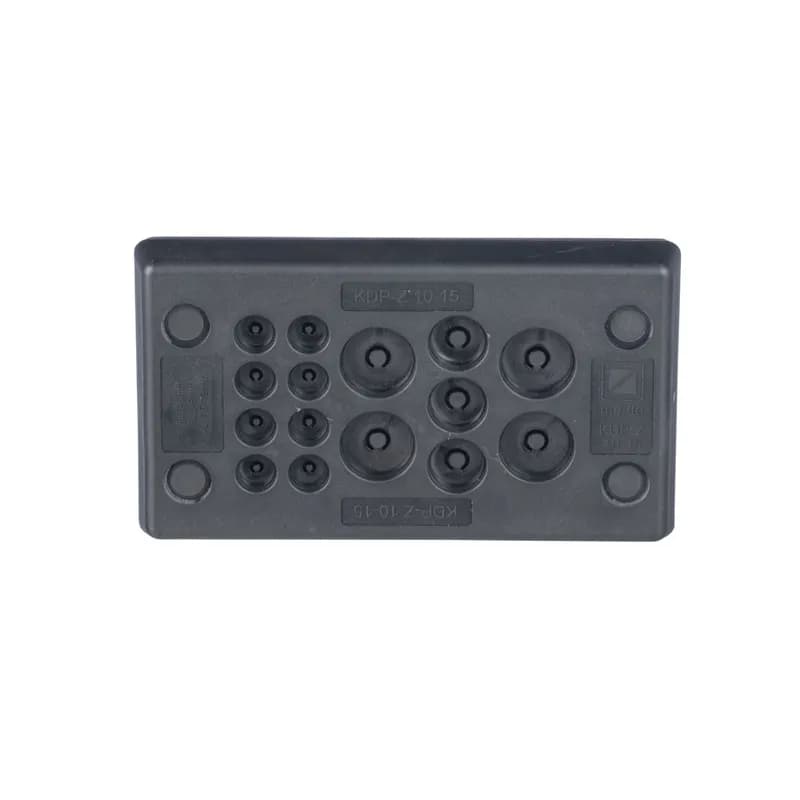
CESUM3-C15
Membrane plate cable entry system offers a good strain relief while maintaining IP/NEMA ingress sealing rating. The CESUM3-C15 is a Rectangular Un-Terminated Cable Entry System, 4.1" (103 mm) Long, with 8 Openings 0.12" (3.0 mm) to 0.31" (8 mm), 3 Openings 0.20" (5.1 mm) to 0.35" (9.0 mm), 4 Openings 0.3" (7.5 mm) to 0.47" (12.0 mm). Color is Black. Standard Package Quantity is 1 PC.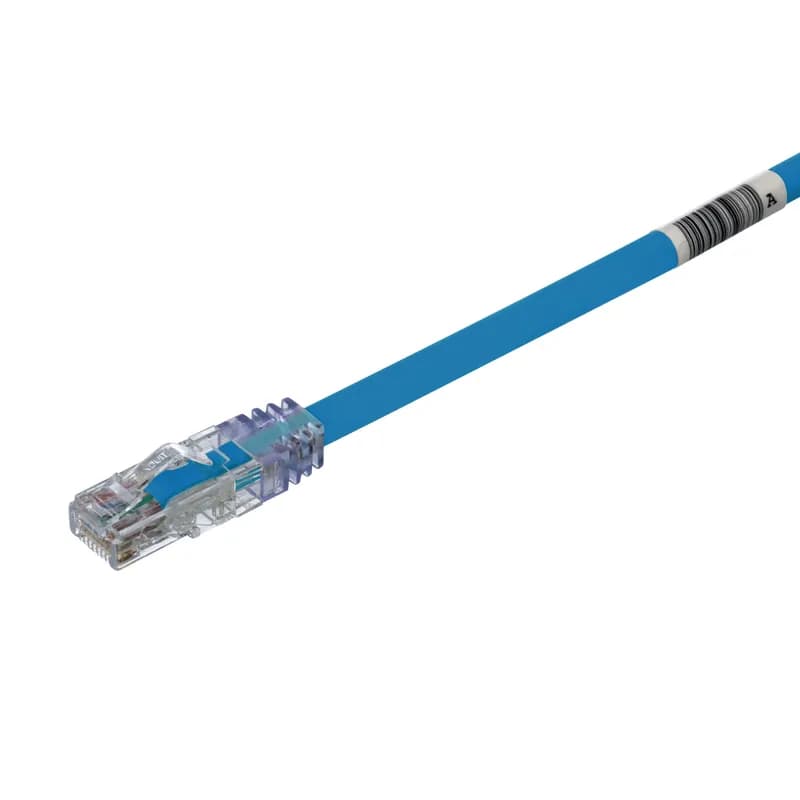
UTP6AL1MBU
The TX6A™ 10Gig Cat 6A UTP Patch Cord is a 1-Meter, Blue cord constructed of 24 AWG, unshielded, twisted pair stranded, LSZH (60332-1) cable with high-performance modular plugs. Its MaTriX Tape Technology limits alien crosstalk, ensuring 10 Gb/s transmission. The tangle-free latch prevents snags and ensures a fast release, streamlining moves, adds, and changes. Enabled with RapidID, the product has pre-installed barcodes for simple port mapping using RapidID software.



Frequently Asked Questions
What is the operating voltage range for DDW-120?
The DDW-120 operates on 10 to 60 VDC, with a rated voltage of 12 to 48 VDC.
What is the operating temperature range?
The operating temperature range is -40 to +70°C.
Must the product be installed by qualified personnel?
Yes, the product must be installed by qualified service personnel and built into an apparatus cabinet where access is restricted to service personnel only.
What is the device weight and dimensions?
The device weighs 0.2 kg and has dimensions of 35 x 121 x 119 mm (W x H x D).
What is the maximum transmission distance?
Depending on cable quality, distances up to 15 km are possible.
What is the maximum data transfer rate?
At shorter range the transfer rate will be as fast as 15.3 Mbit/s in both directions.
How should the units be configured for operation?
The units work in pairs, one configured as CO (Central Office) and one as CPE (Customer Premises Equipment), using DIP-switches under the lid.
What type of mounting is required?
The unit should be mounted horizontally on 35 mm DIN-rail inside an apparatus cabinet using snap-on mounting.
Does the DDW-120 support redundant power input?
Yes, DDW-120 has dual power input for power supply redundancy, but will operate with only one power source connected.
What Ethernet speeds does the device support?
The device supports 10 Mbit/s and 100 Mbit/s Ethernet with auto-negotiation, auto MDI/MDI-X, and auto-polarity enabled by default.
How to Install and Configure the DDW-120 Industrial Ethernet SHDSL Extender
Complete installation guide for mounting, wiring, and configuring the DDW-120 Ethernet extender units in a point-to-point configuration with proper safety procedures.
Estimated time: 45m
Tools needed:
Screwdriver, Wire strippers, Multimeter, ESD wrist strap
Supplies needed:
35mm DIN rail, Twisted pair cable, Ethernet cable, Power cable (AWG 24-12), Detachable screw terminals
- Prepare for installation
WARNING: Installation must be performed by qualified service personnel only. Read the manual completely and discharge your body to a grounding point using an ESD wrist strap to prevent electrostatic discharge damage to internal electronics.
- Mount the units on DIN rail
Mount both DDW-120 units horizontally on 35mm DIN rail inside an apparatus cabinet using snap-on mounting. Ensure minimum spacing of 25mm above/below and 10mm left/right of each unit for proper convection cooling.
- Connect protective earthing
Connect the protective earthing conductor first to the protective earthing terminal or ensure the DIN-rail is connected to protective earth. Use a cross-sectional area of at least 4mm² for the earthing conductor.
- Configure DIP switches for CO unit
Remove the lid and configure one unit as CO (Central Office) by setting DIP switch S1:4 to ON position. Leave the other unit as CPE (Customer Premises Equipment) with S1:4 in OFF position (factory default).
- Set transmission mode
Configure the transmission mode on the CO unit using DIP switches S1:1-3. For reliable operation, use factory default autobaud reliable mode (S1:1 OFF, S1:2 OFF, S1:3 ON).
- Connect SHDSL line
Connect the twisted pair cable to DSL screw terminals 1 and 2 at the base of both DDW-120 units. Connection is polarity independent. Use cable with connector size 0.2-2.5mm² (AWG 24-12).
- Connect Ethernet cables
Connect Ethernet cables to the TX port (RJ-45 connector) on the front of both DDW-120 units. Use CAT 5 cable with maximum length of 100m. Auto-negotiation and auto MDI/MDI-X are enabled by factory default.
- Connect power supply
Connect 12-48 VDC power to the detachable screw terminals (positions 1-4) on both units. Ensure power supply can handle startup current of 0.65A peak. Units are reverse polarity protected.
- Power on and verify operation
Apply power to both units. Verify PWR LED (green) is ON, DSL LED establishes connection (solid ON after negotiation), and LINK LED shows Ethernet connectivity. DSL negotiation may take up to 3 minutes.
- Test and verify connectivity
Test end-to-end Ethernet connectivity through the SHDSL link. If DSL link fails to establish, the speed may be set too high for the distance - consider using a more reliable transmission mode or check cable quality.
Frequently Asked Questions about Westermo
What certifications and standards do Westermo products comply with?
Westermo products meet rigorous international standards across electromagnetic compatibility (EMC), mechanical protection, functional safety, and regulatory compliance. Key certifications include EN 61000 series for industrial immunity and emissions, EN 50121-4 for railway applications, EN 50155 for on-board rail systems, UL, CE, UKCA, EAC, and C-Tick. Our products are engineered to withstand harsh industrial environments and comply with IP protection standards, mechanical enclosure requirements, and functional safety specifications like EN 61800 and IEC 61508.
What industries and applications are Westermo products used for?
Westermo products are designed for mission-critical industrial applications across multiple demanding sectors, including transportation (railways, roads, tunnels), energy infrastructure, water treatment, and substation automation. Their robust data communication devices are engineered to operate in harsh environments where standard commercial-grade equipment would fail, providing resilient communication infrastructure for control and monitoring systems with extreme temperature tolerance and high reliability.
What are the main product lines offered by Westermo?
Westermo offers a comprehensive range of industrial data communication products across six primary product lines: Ethernet Switches, Extenders, Routers, Modems, Converters, and Accessories. These robust devices are engineered for harsh environments and mission-critical applications in industries like transport, water, and energy, with specific solutions for railways, substations, and remote network access.
What are the key features of Westermo products?
Westermo products feature robust industrial-grade data communication devices engineered for harsh environments, with key characteristics including: high electromagnetic immunity (EN 61000-6-2), industrial emission compliance (EN 61000-6-4), extensive railway and transportation approvals (EN 50121-4, EN 50155), and rigorous manufacturing quality standards. Their devices provide mission-critical communication infrastructure with advanced features like secure remote access, network resilience, and comprehensive cybersecurity protections through their proprietary WeOS operating system.
What communication protocols do Westermo products support?
Westermo products support a wide range of industrial communication protocols, including Ethernet, RS-232, RS-422, RS-485, PROFIBUS DP, M-Bus, and 20 mA current loop. Our industrial converters and communication devices are designed to provide robust connectivity across multiple communication standards, enabling seamless integration in harsh industrial environments.
What environmental ratings do Westermo products have?
Westermo products feature robust environmental ratings across multiple standards, including IP66 protection, NEMA Type 4X, and UL/CSA certifications for harsh industrial environments. Their devices are designed to withstand extreme temperatures from -40°C to 130°C, resist dust, water ingress, and provide protection against external environmental challenges in industrial settings.
What accessories are available for Westermo products?
Westermo offers a comprehensive range of accessories to complement their industrial data communication devices, including optical transceivers, power supplies, backup devices, cables, and antennas. Key accessories include SFP transceivers with transmission ranges from 2 to 120 km, industrial power supplies like PS-30 and PS-100, M12 USB backup devices, and specialized cables such as diagnostic, M12, power, and radio cables in various lengths.
How are Westermo products typically installed?
Westermo products are typically installed using WeConfig, their network configuration management tool that simplifies device setup and maintenance. The installation process involves connecting devices to the network, using WeConfig to automatically discover and configure them, and leveraging project files that store network topology information for easy replacement and reconfiguration. Devices can be mounted on DIN rails in industrial environments and are designed for robust installation in harsh conditions like transportation, energy, and water infrastructure.
What technical support does Westermo offer?
Westermo offers comprehensive technical support through multiple channels. Their engineering team provides expert guidance for selecting, configuring, and installing data communication solutions across industrial markets like transport, water, and energy. Customers can access support via their website (www.westermo.com), and for North American customers, direct support is available through Gross Automation at +1 (262) 252-1600 or [email protected].