
CompleTech CA230C4 offset pattern collinear - Frequency range: 221-239 MHz - Gain: 11 dBi - Polarization…
Documents & Media
Contact for Pricing
Call +1 (262) 252-1600 (toll-free 877-268-3700) or email [email protected] for pricing and availability.
Overview
- Frequency Range: 221-239 MHz
- Gain: 11 dBi
- Polarization: Vertical
- Connector: N-/TNC-female
- VSWR: <1.5
- Radome: UV resistant ABS/FG with PU foam filling
- Radiator Material: Copper
- Mounting: Ø 35-60 mm pole
- IP Rating: 67
- Lightning Protection: DC-short circuited
Specifications
Connection Type | N-/TNC-female |
Connector | N-/TNC-female |
Frequency | 221-239 MHz |
Gain | 11 dBi |
Length | 4560 mm |
Material | copper, ABS/FG PU foam |
Mounting Diameter | Ø 35-60 |
Mounting Type | 35-60 mm diameter pole |
Polarization | vertical |
Radiator Material | copper |
Radome | ABS/FG, PU foam |
Series | CA230C4 |
VSWR | <1.5 |
Weight | 4120 g |
Wind Load | 180 N @ 150 km/h |
CA85C4
offset pattern collinear - Frequency range: 83-88 MHz - Gain: 11 dBi - Polarization: vertical - Connector: N-/TNC-female - VSWR: <1.5 - Radome: ABS/FG PU foam - Radiator material: copper - Mounting: 35-60 mm diameter pole - Wind load: 336 N


CA450N4
cardioid pattern notch - Frequency range: 440-475 MHz - Gain: 8 dBi - Polarization: vertical - Connector: N-/TNC-female - VSWR: <1.5 - Radome: ABS/FG PU foam - Radiator material: copper - Mounting: 35-60 mm diameter pole - Wind load: 128 N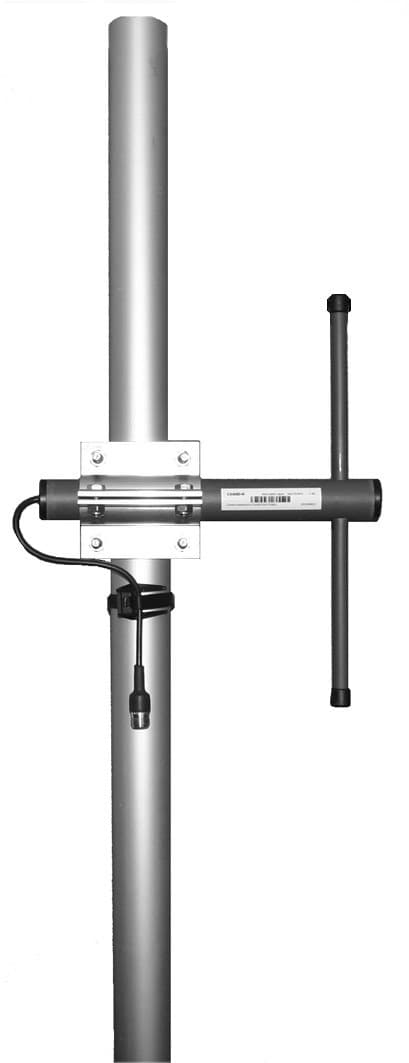
CA860D
offset pattern dipole - Frequency range: 830-890 MHz - Gain: 5 dBi - Polarization: vertical/horizontal - Connector: N-/ TNC-/ 7/16-female - VSWR: <1.5 - Radome: ABS/FG PU foam - Radiator material: copper - Mounting: 35-60 mm diameter pole - Wind load: 25 NCA420D
offset pattern dipole - Frequency range: 405-440 MHz - Gain: 5 dBi - Polarization: vertical/horizontal - Connector: N-/ TNC-/ 7/16-female - VSWR: <1.5 - Radome: ABS/FG PU foam - Radiator material: copper - Mounting: 35-60 mm diameter pole - Wind load: 33 N
CAVHF/UHFD
offset pattern dual band dipole - 50-300/300-3000 4%MHz - 5/5dBi - vertical/horizontal - N-/ TNC-/ 7/16-female - VSWR <1.5 - ABS/FGPU foam - Radiator material: copper - mounting mm: 35-60 - wind load: "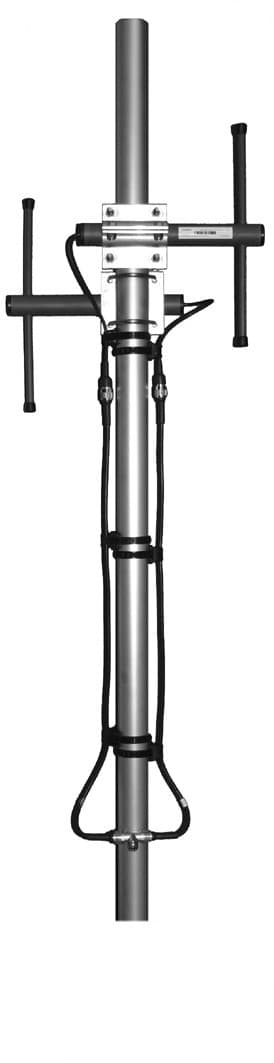
CA400B2
bidirectional broadside - Frequency range: 380-410 MHz - Gain: 6 dBi - Polarization: vertical - Connector: N-/TNC-female - VSWR: <1.5 - Radome: ABS/FG PU foam - Radiator material: copper - Mounting: 35-60 mm diameter pole - Wind load: 68 NFrequently Asked Questions
What is the lightning protection feature of the CA230C4 antenna?
The CA230C4 antenna features DC-short circuited lightning protection.
What is the IP rating of the CA230C4 antenna?
The CA230C4 antenna has an IP rating of 67.
What type of polarization does the CA230C4 antenna support?
The CA230C4 antenna supports vertical polarization.
What is the operating temperature range for the CA230C4 antenna?
The CA230C4 antenna can operate in temperatures ranging from -40ºC to +80ºC.
What is the impedance of the CA230C4 antenna?
The impedance of the CA230C4 antenna is 50 ohm.
What is the gain of the CA230C4 antenna?
The CA230C4 antenna has a gain of 11 dBi.
What are the -3 dB beamwidths for the CA230C4 antenna?
The H -3 dB beamwidth is 182º and the E -3 dB beamwidth is 13º.
What type of connector does the CA230C4 antenna use?
The CA230C4 antenna uses an N-female or TNC-female connector.
What is the VSWR rating for the CA230C4 antenna?
The VSWR for the CA230C4 antenna is less than 1.5.
What materials are used for the radome and radiator of the CA230C4 antenna?
The radome is made of UV resistant ABS/FG with PU foam filling, and the radiator is made of copper.
How to Install the CA230C4 Controller
This guide provides step-by-step instructions for installing and configuring the CA230C4 Controller, ensuring proper wiring and calibration.
Estimated time: 1h
Tools needed:
Screwdriver, Wire strippers, Multimeter
Supplies needed:
Mounting screws, Wire connectors, Self-amalgamating tape
- Mount the controller
Secure the CA230C4 controller to the designated mounting surface using the provided mounting screws. Ensure it is level and firmly attached.
- Connect the wiring
Strip the ends of the wires and connect them to the appropriate terminals on the CA230C4 controller. Use wire connectors to secure the connections.
- Seal connections
Cover all connectors and cable junctions with self-amalgamating tape to ensure proper weather protection.
- Verify connections
Use a multimeter to check the continuity of the connections. Ensure all connections are secure and functioning correctly.
- Calibrate the controller
Follow the manufacturer's instructions to calibrate the CA230C4 controller for optimal performance. Adjust settings as necessary.