
nVent D723646SDAAC Seismic Free-Stand DA Cabinet AC Type 12, 72x36x46, Lt Gray, Steel
UPC: 783510381257
Contact for Pricing
Call +1 (262) 252-1600 (toll-free 877-268-3700) or email [email protected] for pricing and availability.
Overview
- Reinforced stainless steel construction protects networking/communication equipment from dust, liquid, and seismic activity
- Six seismic bottom-mounting plates made of painted plated steel for 5/8-inch diameter anchors
- Lifting eyes installed for ease of handling
- Rack angles included are infinitely adjustable from front-to-rear supporting multiple networking/communication equipment configurations
- 36-inch wide models include integral, vertical, RU-aligned fingers for supporting copper and fiber networking cables
- AC models available for heat management
- Data pockets included for equipment information management/organization
Specifications
Application | Datacom and Telecom Equipment;Networking, Storage and Data Center |
Color | Light Gray |
Color | Gray |
Color Code | RAL 7035 |
Depth | 46.16 in |
Depth | 1,173 mm |
Finish | Powder Coated |
Height | 1,834 mm |
Height | 72.22 in |
Material | Mild Steel |
Modification Services | Yes |
Product Type | AC-Ready |
Rack Units | 35 U |
Thickness | 2.66 mm |
Thickness | 51.40mm (2.024") |
Thickness | 12 ga |
Type | Data Networking Freestanding Cabinets |
Weight | 720 lb |
Width | 918 mm |
Width | 36.14 in |

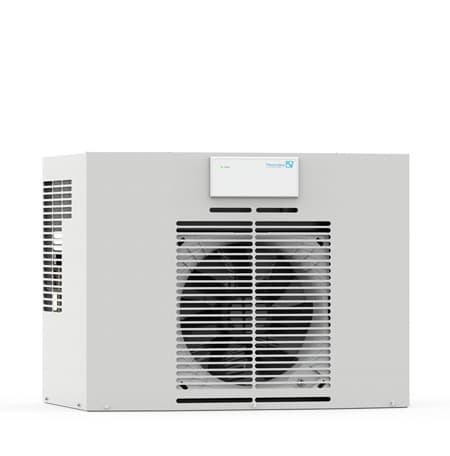


N210226G061
The nVent N210226G061 industrial electrical connector delivers reliable, high-performance connectivity for mission-critical applications in harsh industrial environments. Designed by nVent, a global leader in electrical and thermal management solutions, this connector ensures secure, long-lasting electrical connections even under extreme conditions of vibration, moisture, and temperature fluctuations. Built to meet the rigorous demands of industrial automation, manufacturing, and infrastructure projects, the N210226G061 provides a robust solution for engineers and technicians seeking dependable performance without compromise. Engineered for durability and ease of installation, the N210226G061 connector features a ruggedized housing and corrosion-resistant materials, making it ideal for use in outdoor enclosures, control panels, and machinery exposed to challenging environments. Its compact design and secure locking mechanism ensure stable connections that resist accidental disconnection, reducing downtime and maintenance costs. Whether deployed in factory automation systems, renewable energy installations, or transportation infrastructure, this connector maintains signal integrity and operational reliability. Key applications for the nVent N210226G061 include: - Industrial automation and control systems - Power distribution and motor control centers - Renewable energy installations (solar, wind) - Transportation and rail systems - Oil, gas, and chemical processing facilities The N210226G061 is part of nVent’s trusted portfolio of electrical connection solutions, leveraging decades of expertise in designing products that meet the highest standards of safety and performance. With a focus on innovation and reliability, nVent ensures that professionals can depend on their connectors to deliver consistent results in even the most demanding applications. Installation is straightforward, with color-coded wiring options and clear labeling for quick identification, reducing the risk of errors during setup. For engineers and contractors seeking a high-quality, field-proven connector, the nVent N210226G061 is a top-tier choice that combines durability, performance, and ease of use in a single, reliable package.T200216G108
The nVent T200216G108 grounding product delivers robust electrical safety and system reliability for industrial applications. Designed and manufactured in the United States, this high-quality grounding solution ensures compliance with stringent safety standards while providing long-lasting performance in demanding environments. As part of the nVent portfolio, a global leader in electrical and thermal management solutions, the T200216G108 reflects the company’s commitment to innovation, durability, and safety across industrial, commercial, and utility sectors. Grounding products like the T200216G108 are essential components in any electrical system, serving as the critical safety link that protects personnel, equipment, and infrastructure from fault currents and electrical hazards. By providing a low-impedance path to ground, this product helps prevent dangerous voltage buildup, reduces the risk of electrical fires, and ensures the proper operation of protective devices such as circuit breakers and fuses. The T200216G108 is engineered to meet the rigorous demands of modern industrial facilities, including manufacturing plants, data centers, power generation stations, and renewable energy installations, where uninterrupted safety and system integrity are non-negotiable. Selecting the right grounding solution is a key decision for electrical engineers and facility managers. The T200216G108 is designed for ease of installation and long-term reliability, featuring durable construction and materials that withstand harsh conditions such as extreme temperatures, corrosive environments, and high mechanical stress. Its compact and efficient design allows for seamless integration into existing grounding systems, whether as part of a new installation or a retrofit project. Professionals in the field trust nVent for its proven track record in delivering products that meet or exceed industry standards, including UL, IEC, and NEC compliance. Typical applications for the T200216G108 include grounding of electrical panels, switchgear, transformers, and motor control centers. It is also widely used in critical infrastructure such as hospitals, airports, and telecommunications facilities, where electrical safety and system uptime are paramount. The product’s versatility makes it suitable for both indoor and outdoor installations, provided proper environmental ratings and mounting procedures are followed. When paired with nVent’s comprehensive portfolio of grounding accessories and support systems, the T200216G108 becomes part of a fully integrated safety solution tailored to the unique needs of industrial operations. nVent’s reputation as a trusted provider of electrical safety solutions is built on decades of engineering expertise and a global presence serving diverse industries. The company’s grounding products are designed with the installer and end-user in mind, emphasizing not only performance but also ease of use and maintenance. With the T200216G108, facility managers gain peace of mind knowing they are using a product that aligns with nVent’s commitment to safety, innovation, and sustainability. Whether upgrading an existing system or designing a new one, the T200216G108 stands as a reliable choice for professionals who demand the highest standards in electrical grounding.N280416G118
The nVent N280416G118 industrial connector delivers reliable, high-performance electrical connections in demanding environments where durability and safety are critical. Designed for professionals who require precision and longevity, this connector from nVent—an industry leader in thermal management and electrical solutions—ensures consistent performance even under extreme conditions. Whether deployed in manufacturing plants, oil and gas facilities, or renewable energy installations, the N280416G118 provides the rugged reliability needed to maintain operational integrity across a wide range of applications. Engineered for harsh industrial settings, the N280416G118 connector features a robust construction that resists corrosion, vibration, and temperature fluctuations. This makes it an ideal choice for applications such as motor controls, power distribution panels, and automation systems where reliable connectivity is non-negotiable. The connector’s design prioritizes ease of installation and maintenance, reducing downtime and operational costs while enhancing system safety. Key benefits of the nVent N280416G118 include: - **High durability**: Built to withstand exposure to moisture, dust, and mechanical stress, ensuring long-term performance in outdoor and industrial environments. - **Secure connections**: Engineered to prevent accidental disconnections, reducing the risk of electrical faults and equipment damage. - **Versatile compatibility**: Suitable for a variety of wiring configurations, making it a flexible solution for diverse industrial applications. - **Compliance and safety**: Meets stringent industry standards for electrical safety and performance, providing peace of mind in critical applications. - **Trusted manufacturer**: Backed by nVent’s reputation for innovation and reliability, this connector is a trusted choice for professionals who demand the best in electrical connectivity. Industries that benefit from the N280416G118 include manufacturing, utilities, transportation, and renewable energy. Its ability to maintain stable electrical connections in high-vibration or high-temperature environments makes it particularly valuable in sectors where reliability is paramount. Professionals in these fields rely on connectors like the N280416G118 to ensure uninterrupted operations, minimize maintenance costs, and enhance overall system efficiency. With nVent’s commitment to quality and performance, this connector stands as a cornerstone for safe and efficient electrical connectivity in industrial applications.Frequently Asked Questions
What are the external dimensions of the D723646SDAAC cabinet?
The cabinet has a height of 72.22 inches, a width of 36.14 inches, and a depth of 46.16 inches.
What material is the D723646SDAAC cabinet made from?
The cabinet is constructed from mild steel with a powder-coated finish in light gray.
What is the thickness of the steel used for this cabinet?
The steel used for the cabinet has a thickness of 12 gauge.
What is the rack unit capacity of the D723646SDAAC cabinet?
The cabinet provides 35U of rack unit capacity for equipment.
What industry standards does the D723646SDAAC cabinet meet?
It meets UL 508A Listed Type 4, cUL Listed Type 4, NEMA/EEMAC Type 4, E.I.A. RS310-D, CSA Type 4, IEC 60529 IP55, and OSPHD standards.
Can this cabinet protect equipment from seismic events?
Yes, the cabinet is designed to protect networking and communications equipment from dust, liquid, and seismic events.
What type of anchors are used for the seismic bottom-mounting plates?
The six seismic bottom-mounting plates are designed for 5/8-inch diameter anchors.
Does the cabinet include features for cable management?
Yes, 36-inch wide models include integral, vertical, RU-aligned fingers for supporting copper and fiber networking cables.
Are there provisions for heat management in this cabinet?
Yes, AC models are available for heat management.
How is the cabinet handled during installation or relocation?
Lifting eyes are installed on the cabinet for ease of handling.
How to Install the D723646SDAAC Enclosure
This guide provides step-by-step instructions for safely installing the D723646SDAAC enclosure, ensuring proper handling and setup.
Estimated time: 1h
Tools needed:
Screwdriver, Forklift, Wire strippers, Multimeter
Supplies needed:
Mounting screws, Terminal connectors, 3000 lb-rated chain or strap
- Prepare the installation area
Clear the installation area of all obstructions and ensure that the route for moving the enclosure is safe and accessible.
- Securely lift the enclosure
Using a forklift, position the forks to match the skid width and carefully lift the enclosure, ensuring it is secured with a 3000 lb-rated chain or strap through the eye bolts.
- Mount the enclosure
Once in position, secure the enclosure to the mounting surface using the provided mounting screws, ensuring it is level and stable.
- Connect wiring
Use wire strippers to prepare the necessary wires and connect them to the terminal connectors as per the wiring diagram provided in the documentation.
- Verify connections
Use a multimeter to check all electrical connections for continuity and proper voltage levels before powering on the enclosure.
- Calibrate the system
Follow the calibration procedures outlined in the documentation to ensure the enclosure operates within the specified parameters.
Frequently Asked Questions about nVent
What industries and applications are nVent products used for?
nVent products are engineered for critical infrastructure and industrial applications across multiple demanding sectors. Key markets include Construction, Data Centers, Defense, Healthcare, Mining, Oil & Gas Refineries, Power Plants, Rail/Transit, Renewable Energy, Security, Ship Building, Steel Mills, Telecom, and Utilities. Their solutions are designed to withstand extreme environmental conditions, with temperature ranges from -55°C to 105°C and specialized features like UV resistance, oil resistance, and flame resistance.
What environmental ratings do nVent products have?
nVent enclosures feature comprehensive environmental ratings, including UL 508A, CSA, and NEMA Type 1, 2, 3, 4, 4X, 12, and 13 certifications. They are rated IEC 60529 IP66, providing robust protection against dust, water, and corrosion in both indoor and outdoor environments. These products operate effectively in temperatures ranging from -40°F to 266°F, with enhanced UV inhibitors for outdoor weathering and oil-resistant gaskets for superior sealing.
What accessories are available for nVent products?
nVent offers a comprehensive range of accessories across multiple product lines, including EMC accessories like bonding cable clamps and strain reliefs, inline accessories such as lock inserts and mounting brackets, CONCEPT accessories including panel conversion kits and rack-mount angles, and seismic accessories for specialized mounting requirements. Key accessory categories include grounding kits, DIN rail mounting solutions, panel supports, handles, and various mounting hardware compatible with different enclosure types.
What certifications and standards do nVent products comply with?
nVent products meet critical international certifications including UL (United States), CSA (Canada), CE (European Community), and EAC (Russia). Our products are designed to comply with rigorous industrial standards such as NEMA enclosure ratings, IEC 60529 IP ratings, and international safety standards across multiple industrial markets including oil & gas, power, manufacturing, and infrastructure.
What is nVent's warranty policy?
nVent offers a standard 18-month warranty from invoicing date for most automation products, covering defects in workmanship and materials. The warranty requires proper transportation, handling, storage, and installation within specified environmental conditions. Warranty coverage includes repair or replacement at nVent's discretion, with certain conditions such as authorized service repairs and operation within designed capacity limits.
What technical support does nVent offer?
nVent offers comprehensive technical support through multiple global contact centers across North America, South America, Europe, Middle East, India, and Asia. Customers can reach technical experts by phone at regional numbers, with the North American headquarters in Minneapolis, MN providing primary support at +1.763.421.2240. Additionally, nVent provides online support resources through their website, including CAD drawing downloads and an 'Ask The Expert' feature to assist with product technical inquiries.