
Panduit Z23U-624S Universal Network Zone System, 24" x 36", 316 stainless steel, for two industrial…
UPC: 613056025974
Contact for Pricing
Call +1 (262) 252-1600 (toll-free 877-268-3700) or email [email protected] for pricing and availability.
Overview
- Constructed from corrosion-resistant 316 stainless steel for industrial environments
- 24" x 36" enclosure designed to house two industrial network switches
- Includes 16 Cat 6A STP copper patch cords and jacks for high-speed data
- Features 4 MM LC fiber uplink patch cords with 6 adaptors for backbone connectivity
- Equipped with redundant power supplies for enhanced network reliability
Specifications
Application | Industrial Automation |
Color | Gray |
Depth | 11.6 In. |
Material | Stainless Steel Type 316 |
Mounting | Wall mount |
Standard | UL 508A Standard for Industrial Control Panels, UL Type 4/12 or 4X, IP66 Rated, RoHS Compliant |
Type | Universal Network Zone Enclosure |
Width | 24 In. |
Package Dimensions (L x W x H) | 43.25 IN x 31.5 IN x 18.5 IN |
Package Weight (Imperial) | 155 lbs |

Z23U-625
Universal Network Zone System; 24" x 36"; 316 stainless steel enclosure; for two industrial switches; includes (16) Cat 6 UTP copper patch cords and jacks, (4) MM LC fiber uplink patch cords with (6) adaptors, redundant power supplies and (2) maintenance-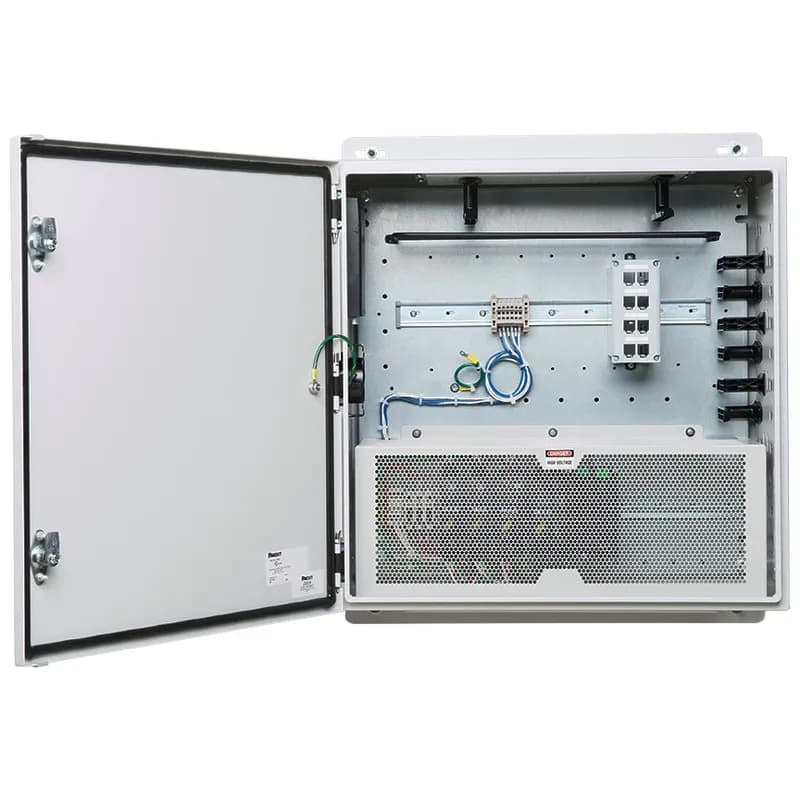
Z22U-S16
Universal Network Zone System, 24" x 24", mild steel enclosure, for one industrial switch, includes (8) Cat 6 UTP copper patch cords and jacks, (2) MM LC fiber uplink patch cords with (6) adaptors and redundant power supplies, battery UPS, PoE
Z22U-S11S
Universal Network Zone System, 24" x 24", mild steel enclosure, for one industrial switch, includes (8) Cat 6A STP copper patch cords and jacks, (2) MM LC fiber uplink patch cords with (6) adaptors and redundant power supplies, battery UPS.
CJH6X88TGEI
The Mini-Com Cat 6A UTP RJ45 Spring-Shuttered TG Jack Module is designed to terminate 4-pair, 22-26 AWG twisted pair cable. Each module is 100% factory tested to exceed industry standard performance requirements. The integrated spring-shuttered door keeps dust and debris out of unmated RJ45 jack modules. Each jack is individually serialized for traceability and is compatible with Mini-Com Modular Patch Panels and Faceplates.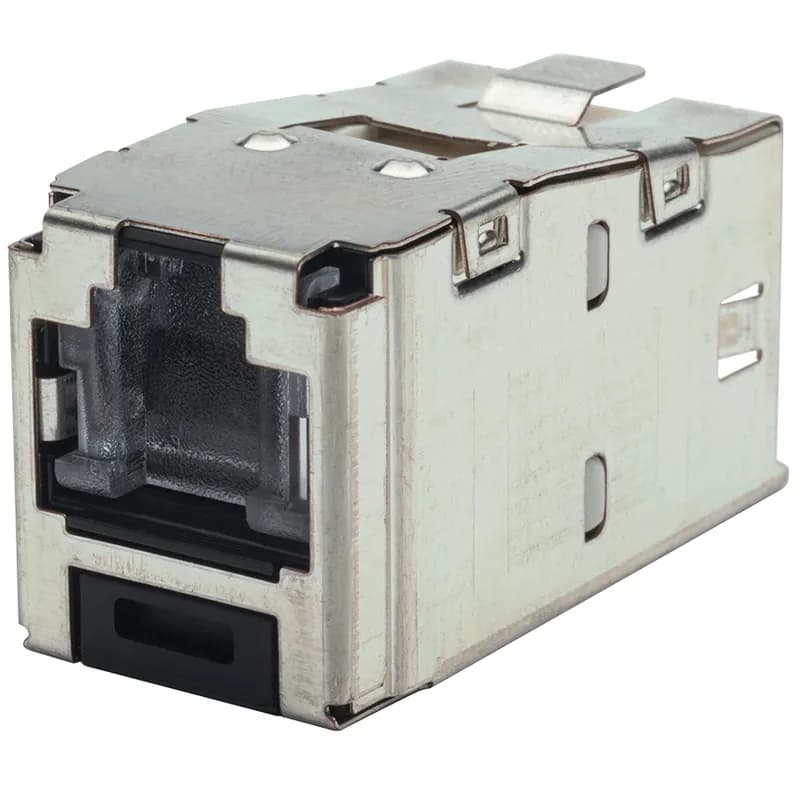
CJSH688TGRDY
The Mini-Com Cat 6 Shielded RJ45 Spring-Shuttered TG Jack Module is designed to terminate shielded 4-pair, 22-26 AWG twisted pair cable. Each module is 100% factory tested to exceed industry standard performance requirements. The integrated spring-shuttered door keeps dust and debris out of unmated RJ45 jack modules. Each jack is individually serialized for traceability and is compatible with Mini-Com Modular Patch Panels and Faceplates.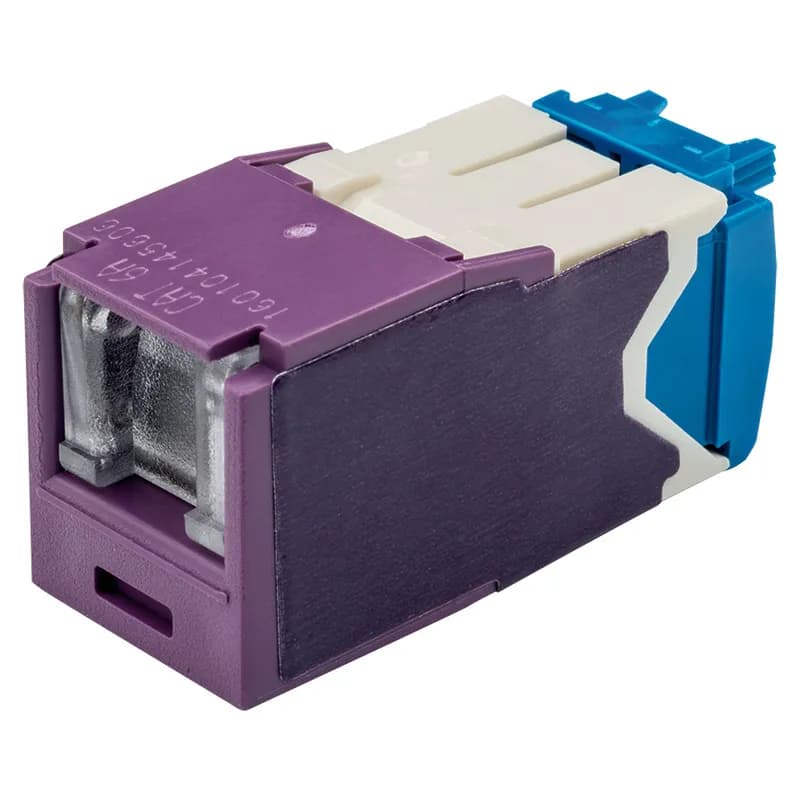
CJH6X88TGVL
The Mini-Com Cat 6A UTP RJ45 Spring-Shuttered TG Jack Module is designed to terminate 4-pair, 22-26 AWG twisted pair cable. Each module is 100% factory tested to exceed industry standard performance requirements. The integrated spring-shuttered door keeps dust and debris out of unmated RJ45 jack modules. Each jack is individually serialized for traceability and is compatible with Mini-Com Modular Patch Panels and Faceplates.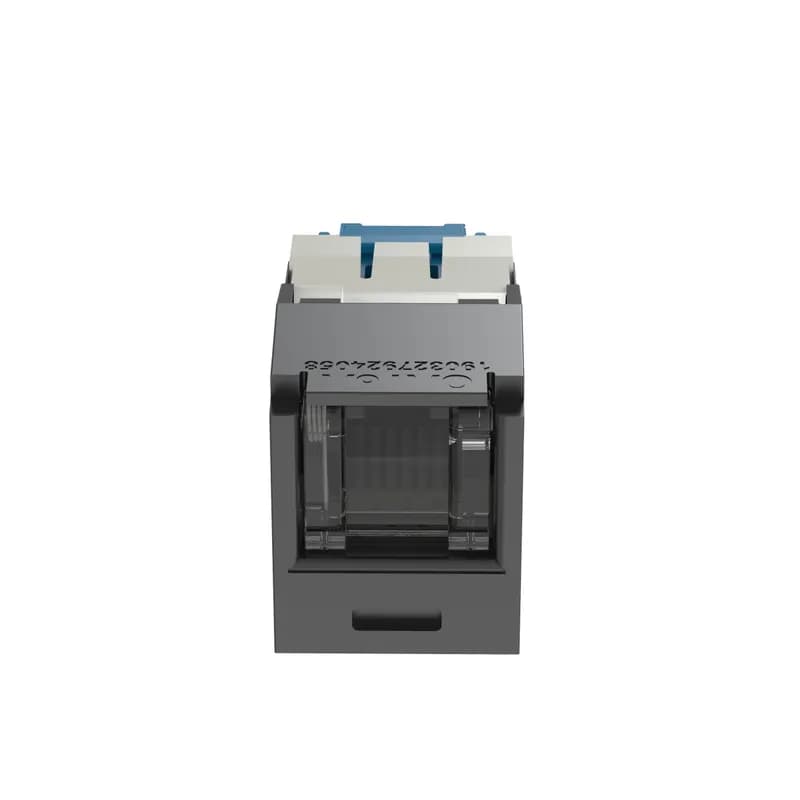
CJH6X88TGBL
The Mini-Com Cat 6A UTP RJ45 Spring-Shuttered TG Jack Module is designed to terminate 4-pair, 22-26 AWG twisted pair cable. Each module is 100% factory tested to exceed industry standard performance requirements. The integrated spring-shuttered door keeps dust and debris out of unmated RJ45 jack modules. Each jack is individually serialized for traceability and is compatible with Mini-Com Modular Patch Panels and Faceplates. The jack module is black.
CJH6X88TGAW
The Mini-Com Cat 6A UTP RJ45 Spring-Shuttered TG Jack Module is designed to terminate 4-pair, 22-26 AWG twisted pair cable. Each module is 100% factory tested to exceed industry standard performance requirements. The integrated spring-shuttered door keeps dust and debris out of unmated RJ45 jack modules. Each jack is individually serialized for traceability and is compatible with Mini-Com Modular Patch Panels and Faceplates. The jack module is arctic white.Frequently Asked Questions
What are the dimensions of the Z23U enclosure?
The Z23U enclosure measures 36.0 in. × 24.0 in. × 11.7 in.
What is the operating voltage for the Z23U?
The Z23U operates on 24V DC with a power input range of 100 – 250 VAC single phase.
What type of power supplies does the Z23U use?
The Z23U includes redundant 24 VDC power supplies and offers an optional maintenance-free UPS.
What are the UL ratings for the Z23U?
The Z23U is rated UL 508A, UL Type 4/12, and IP66.
What is the maximum temperature for the Z23U?
The Z23U is validated for a maximum ambient temperature of 40°C outside and 60°C inside the enclosure.
What safety features does the Z23U include?
The Z23U has an isolation barrier to segregate high voltage from low voltage circuits for increased safety.
What connectivity options are available with the Z23U?
The Z23U provides sixteen Category 6 UTP jacks and six LC adaptors for uplink connectivity.
Can the Z23U be customized?
Yes, the Z23U can be configured with various options for size, materials, and power supplies.
How is the Z23U mounted?
The Z23U can be wall mounted with an optional outside-mount flange.
What materials are used for the Z23U enclosure?
The Z23U enclosure is made of gray 14 gauge cold roll steel or 316 stainless steel.
How to Install the Z23U-624S Network Zone System
Installation guide for mounting and wiring the Z23U-624S Network Zone System enclosure.
Estimated time: 1h
Tools needed:
Screwdriver (#2 Phillips, 3/16", 2.5mm flathead), Latch Tool, Tools to cut enclosure sidewalls (Greenlee punch or similar), Fiber-optic termination tools (OptiCam termination kit or similar), Copper cable termination tools (wire cutters, EGJT tool), 3/8" socket or box wrench
Supplies needed:
Mounting feet kit (if used), 5/16" bolts for wall mounting of steel enclosure, 3/8" bolts for wall mounting of stainless-steel enclosure, Fiber-optic trunk cable, LC fiber-optic connectors, Category 6 copper cable for downlinks, #6 AWG Infrastructure ground cable, Power wiring (#14 AWG recommended), Rigid conduit for power and copper downlink cables, Switch (Switch ready zone only), Silicone rubber sealant (if maintaining NSF certification), Conduit fittings
- Install Wall Mounting Feet (Optional)
Turn the enclosure on its side. Use the Latch Tool to open the door. Align the threaded studs on the wall mounting feet with the holes in the back of the enclosure and install them. Insert sealing washers from the outside with the tapered cone toward the hole. Turn the enclosure upright, thread nuts onto the mounting foot studs, and tighten to 200 in-lbs. Close the door and secure it with the Latch Tool.
- Mount the Enclosure to the Wall
If using mounting feet, drill holes 22.5" apart horizontally and 37.5" apart vertically. Mount the enclosure with the locks to the right and secure. If not using mounting feet, drill holes 22.5" apart horizontally and 34.5" apart vertically. Secure the enclosure. To maintain NSF certification, seal the perimeter between the enclosure and the back mounting surface with silicone rubber sealant.
- Prepare for Switch Installation
WARNING: Do not apply power prior to terminal block removal and switch installation. Remove all wiring from the terminal blocks. Remove the terminal blocks from the enclosure.
- Install the Switch
Install the customer-supplied switch into the enclosure. Wire the switch according to the switch manufacturer’s instructions and the supplied Field Wiring Diagram. Install the supplied ground wire to the switch.
- Connect Power Entry
Remove the plug in the bottom of the enclosure and replace it with a conduit fitting. Install power wiring according to the Field Wiring Diagram. Ensure appropriate branch circuit disconnects with proper ratings are used. Consult the Field Wiring Diagram for electrical ratings and maximum over-current protection.
- Connect Uplink and Downlink Cables
Connect the infrastructural ground cable to the ground bar. Route uplink and downlink cables through appropriate conduit entries. For fiber uplinks, terminate fiber strands inside the Fiber Surface Mount Box using LC connectors. Use provided LC to LC duplex patch cords to connect from the fiber adapter modules to the SFP transceiver module on the switch. Store fiber patch cord slack on the included fiber spool. For copper downlinks, use Category 6 copper cable.
- Route Patch Cords
Route patch cords from the switch to the patch panel, utilizing the strain relief bar and L-ring managers. Ensure patch cords are not sharply bent or snagged.
- Secure the Door
Close the enclosure door and secure it using the Latch Tool by turning both locks.
Frequently Asked Questions about Panduit
What environmental ratings do Panduit products have?
Panduit products feature comprehensive environmental ratings across multiple standards, including UL 508A Type 1, 2, 3, 4, 4X, 12, and 13; CSA Type 1, 2, 3, 4, 4X, 12, and 13; and NEMA Type 1, 2, 3, 4, 4X, 12, and 13. They meet IEC 60529 IP66 rating, providing robust protection against dust, water, and corrosion in both indoor and outdoor environments, with operating temperatures ranging from -40°C to 130°C.
What certifications and standards do Panduit products comply with?
Panduit products are certified to multiple critical industry standards, including UL (Underwriters Laboratories) in the USA and Canada, CSA (Canadian Standard Association), EN IEC 61386, LVD 2006/G5/EC, and ARRA standards. Our products meet rigorous certifications for electrical safety, environmental compliance (WEEE and RoHS), and are designed to perform in extreme temperatures ranging from -55°C to 105°C, making them suitable for demanding industrial environments.
What industries and applications are Panduit products used for?
Panduit products are engineered for critical applications across multiple industries, including commercial construction, food and beverage, oil and gas, renewable energy, transportation, and safety-critical environments. Their solutions span electrical infrastructure, wire management, cable ties, power connectors, and safety systems designed to withstand extreme conditions like high vibration, temperature variations, UV exposure, and corrosive agents. Key industries include solar and wind energy, aerospace, heavy trucking, military, commercial transportation, and industrial manufacturing.
What are the main product lines offered by Panduit?
Panduit offers a comprehensive range of electrical infrastructure products including power connectors, cable ties, grounding connectors, identification products, safety solutions, terminals, cable cleats, wiring duct, and cable tie accessories. These products are engineered for industrial environments across multiple sectors like commercial construction, food and beverage, oil and gas, renewable energy, transportation, and safety applications.
What are the key features of Panduit products?
Panduit products are engineered for robust performance in heavy-duty industrial environments, featuring a comprehensive range of solutions including cable ties, power connectors, terminals, and identification products. Key features include proven quality performance, subject matter expertise, and customer-driven innovation across multiple industrial sectors such as commercial construction, food and beverage, oil and gas, renewable energy, transportation, and safety applications. The product line is designed to maximize productivity, reliability, and safety while meeting stringent industry standards.
What is Panduit's warranty policy?
Panduit provides a comprehensive Limited Product Warranty that can be fully reviewed on their official website at www.panduit.com/warranty. All Panduit products are subject to the terms, conditions, and limitations of this current warranty. Customers are advised to review the specific warranty details for their particular product, as Panduit requires buyers to determine product suitability for their intended use and assumes all associated risks.
What technical support does Panduit offer?
Panduit offers comprehensive technical support through their dedicated customer service team, accessible via phone at 1-800-777-3300. They provide expert assistance for their full range of industrial infrastructure products, including cable ties, power connectors, terminals, and identification solutions. Customers can also access additional technical resources and product information through their website at www.panduit.com.
What accessories are available for Panduit products?
Panduit offers a wide range of accessories across multiple product lines, including cable ties, cable tie accessories, cable tie tools, identification products, cable cleats, grounding connectors, and VeriSafe accessories like the VeriSafe Network Module and Insulation Piercing Connectors. For a comprehensive view of all available accessories, customers are recommended to visit www.panduit.com for the full product catalog.
How are Panduit products typically installed?
Panduit products are engineered for comprehensive installation across industrial environments, utilizing specialized tools and techniques for precise mounting. Installation methods vary by product line - from cable ties and power connectors to terminals and identification solutions - but all are designed for robust performance in heavy-duty settings. Technicians typically use Panduit's dedicated installation tools and follow manufacturer guidelines available at www.panduit.com to ensure proper fitting and maximum infrastructure reliability.