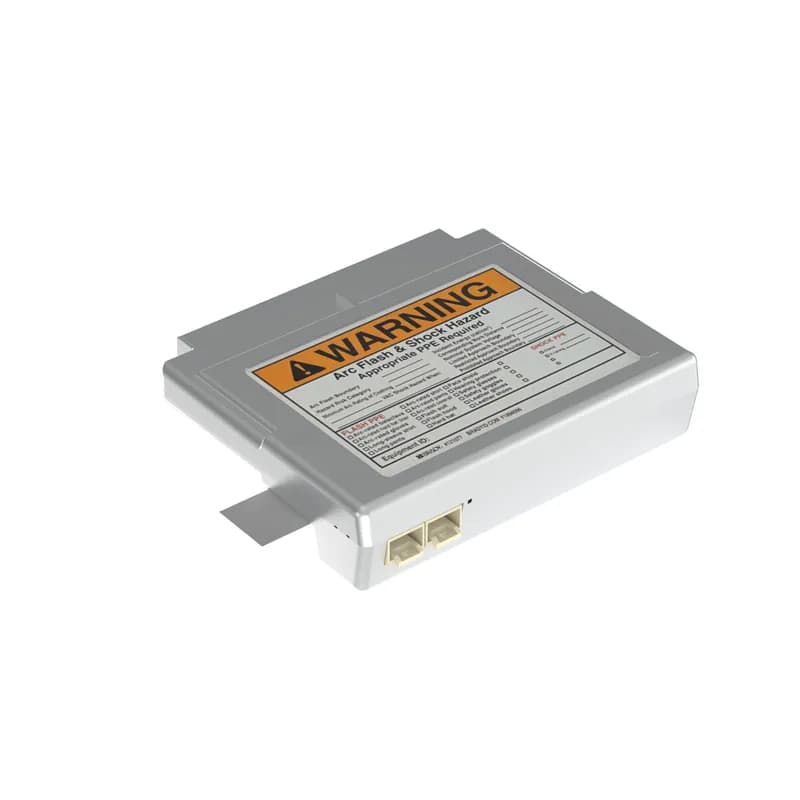
Panduit PVQ-EM The PanView iQ Expansion Module includes mounting bracket, 7 inch expansion port cable…
UPC: 074983089918
Contact for Pricing
Call +1 (262) 252-1600 (toll-free 877-268-3700) or email [email protected] for pricing and availability.
Overview
- Extends PViQ Panel Manager intelligence to additional panels
- Attaches directly to the back of PViQ Patch Panels
- Enables comprehensive physical infrastructure management
- Includes mounting bracket, 7 inch expansion port cable, and interface unit
- Plastic/Metal construction for durability
Specifications
Input | NA V |
Package Dimensions (L x W x H) | 9.8 IN x 8.7 IN x 4.1 IN |
Package Weight (Imperial) | 1.25 lbs |


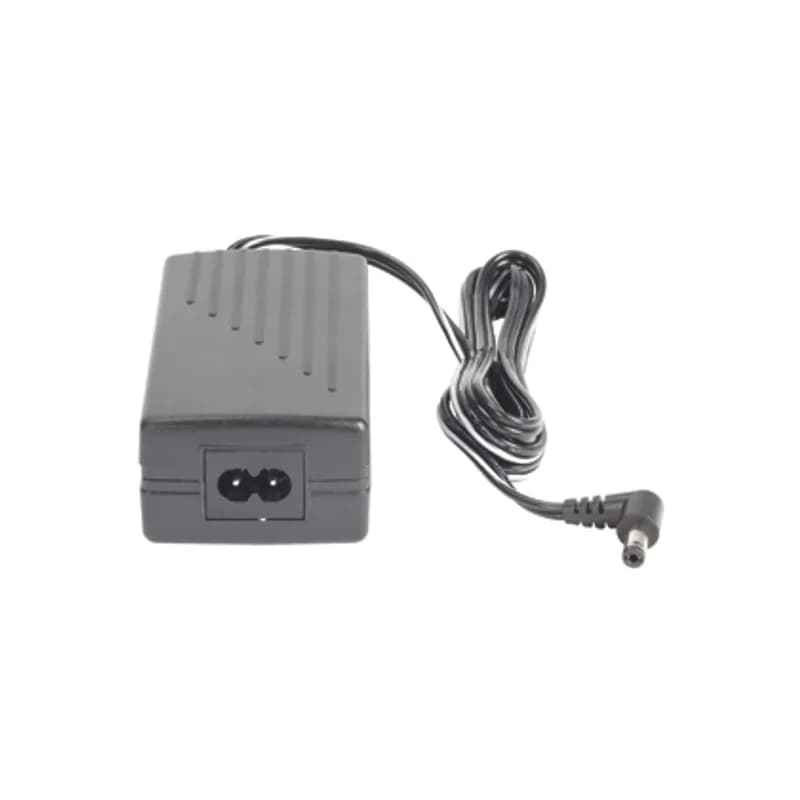
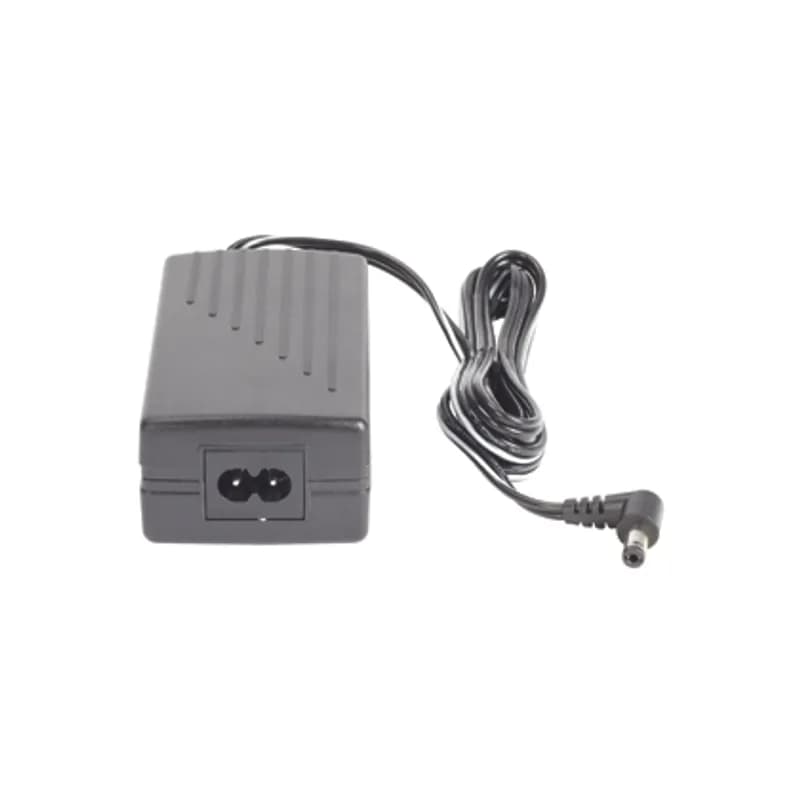
PVQ-PS12VDC-E
This PanView iQ 36W power supply for Europe includes C7 to Schuko power cord and mounting bracket.
PVQ-MIQAPS24
The PanView iQ 24-port unpopulated angled STP modular intelligent module-ready patch panels accepts all Mini-Com STP Modules.
PVQ-MIQPS96A
For standard configurations, this 96-port modular intelligent panel kit includes four angled PanView iQ Patch Panels, one PanView iQ Panel Manager with interface unit, and three PanView iQ Expansion Modules with expansion port cables and interface units. It also includes one 1.5 foot (0.5m) RJ45 patch cord for connection to network switch or additional daisy-chained PanView iQ Panel Managers. Power supply, PanView iQ Patch Cords and Mini-Com Jack Modules must be purchased separately.
PVQ-MIQAPU24
The PanView iQ 24-port unpopulated angled STP modular intelligent module-ready patch panels accepts all Mini-Com UTP and LC Fiber Optic Modules.
PVQ-FMTMTP-ZX
The PViQ 24 port, OM3 optimized MTP fiber tray includes 24 LC SR./SR. 10 Gig SFF duplex multimode aqua adapters with zirconia ceramic split sleeves.Frequently Asked Questions
What is the operating voltage for the PVQ-EM?
The PVQ-EM operates on 24V DC with a range of 20-28V DC.
Is the PVQ-EM compatible with third-party hardware?
Yes, the PVQ-EM works seamlessly with select third-party hardware devices alongside Panduit's PIM™ Software Platform.
How does the PVQ-EM enhance network security?
The PVQ-EM provides real-time monitoring of connectivity and alerts for unauthorized changes, enhancing overall network security.
What are the key benefits of using the PVQ-EM?
The PVQ-EM enhances visibility, security, and operational efficiency while reducing costs and improving resource utilization.
What temperature conditions can the PVQ-EM handle?
The PVQ-EM is designed to operate in standard data center temperature ranges, typically between 60°F to 80°F.
What safety precautions should be taken with the PVQ-EM?
Ensure proper grounding and follow electrical safety standards during installation and operation to prevent hazards.
What troubleshooting steps are available for the PVQ-EM?
Real-time alerts and monitoring tools help identify connectivity issues, power disruptions, and environmental concerns for troubleshooting.
How is the PVQ-EM installed?
Installation of the PVQ-EM requires proper mounting in a rack and connection to the appropriate power and data sources.
Can the PVQ-EM support capacity planning?
Yes, the PVQ-EM provides aggregated data on power, space, and cooling to assist in effective capacity planning.
What maintenance is required for the PVQ-EM?
Regular checks on connectivity and power usage, along with software updates, are recommended for optimal performance.
How to Install the PAN VIEW iQ Expansion Module (EM)
This guide provides step-by-step instructions for installing and configuring the PAN VIEW iQ Expansion Module (EM) in a PViQ system.
Estimated time: 45m
Tools needed:
Phillips-head screwdriver, Wire strippers, Multimeter
Supplies needed:
Mounting screws, Expansion Port cables
- Install the Interface Unit
Insert the EM Interface Unit into the front center of the patch panel, pushing it gently until it snaps into place. Ensure that you do not disrupt any cabling or electronics.
- Mount the Bracket
Locate the mounting bracket and tilt it downward into the center of the PViQ Patch Panel. Pivot the bracket until the tabs rest inside the slots, then apply upward pressure to secure it in place using a Phillips-head screwdriver.
- Install the Expansion Module
Slide the EM into the mounted bracket until the latch on the bottom snaps into place. You should hear an audible click indicating it is securely installed.
- Connect the Expansion Port Cable
Attach an Expansion Port cable from the Expansion Port on the PM to the 'In' port on the EM. Ensure the connection is secure.
- Power the System
Connect the 12VDC power supply to the PM. Verify that the power supply meets the specifications: 11.4VDC to 12.6VDC, isolated from earth ground, and rated for at least 30W.
- Verify Connections
Use a multimeter to check the voltage at the power input of the PM to ensure proper power supply. Confirm that all connections are secure and correctly configured.
Frequently Asked Questions about Panduit
What environmental ratings do Panduit products have?
Panduit products feature comprehensive environmental ratings across multiple standards, including UL 508A Type 1, 2, 3, 4, 4X, 12, and 13; CSA Type 1, 2, 3, 4, 4X, 12, and 13; and NEMA Type 1, 2, 3, 4, 4X, 12, and 13. They meet IEC 60529 IP66 rating, providing robust protection against dust, water, and corrosion in both indoor and outdoor environments, with operating temperatures ranging from -40°C to 130°C.
What certifications and standards do Panduit products comply with?
Panduit products are certified to multiple critical industry standards, including UL (Underwriters Laboratories) in the USA and Canada, CSA (Canadian Standard Association), EN IEC 61386, LVD 2006/G5/EC, and ARRA standards. Our products meet rigorous certifications for electrical safety, environmental compliance (WEEE and RoHS), and are designed to perform in extreme temperatures ranging from -55°C to 105°C, making them suitable for demanding industrial environments.
What industries and applications are Panduit products used for?
Panduit products are engineered for critical applications across multiple industries, including commercial construction, food and beverage, oil and gas, renewable energy, transportation, and safety-critical environments. Their solutions span electrical infrastructure, wire management, cable ties, power connectors, and safety systems designed to withstand extreme conditions like high vibration, temperature variations, UV exposure, and corrosive agents. Key industries include solar and wind energy, aerospace, heavy trucking, military, commercial transportation, and industrial manufacturing.
What are the main product lines offered by Panduit?
Panduit offers a comprehensive range of electrical infrastructure products including power connectors, cable ties, grounding connectors, identification products, safety solutions, terminals, cable cleats, wiring duct, and cable tie accessories. These products are engineered for industrial environments across multiple sectors like commercial construction, food and beverage, oil and gas, renewable energy, transportation, and safety applications.
What are the key features of Panduit products?
Panduit products are engineered for robust performance in heavy-duty industrial environments, featuring a comprehensive range of solutions including cable ties, power connectors, terminals, and identification products. Key features include proven quality performance, subject matter expertise, and customer-driven innovation across multiple industrial sectors such as commercial construction, food and beverage, oil and gas, renewable energy, transportation, and safety applications. The product line is designed to maximize productivity, reliability, and safety while meeting stringent industry standards.
What is Panduit's warranty policy?
Panduit provides a comprehensive Limited Product Warranty that can be fully reviewed on their official website at www.panduit.com/warranty. All Panduit products are subject to the terms, conditions, and limitations of this current warranty. Customers are advised to review the specific warranty details for their particular product, as Panduit requires buyers to determine product suitability for their intended use and assumes all associated risks.
What technical support does Panduit offer?
Panduit offers comprehensive technical support through their dedicated customer service team, accessible via phone at 1-800-777-3300. They provide expert assistance for their full range of industrial infrastructure products, including cable ties, power connectors, terminals, and identification solutions. Customers can also access additional technical resources and product information through their website at www.panduit.com.
What accessories are available for Panduit products?
Panduit offers a wide range of accessories across multiple product lines, including cable ties, cable tie accessories, cable tie tools, identification products, cable cleats, grounding connectors, and VeriSafe accessories like the VeriSafe Network Module and Insulation Piercing Connectors. For a comprehensive view of all available accessories, customers are recommended to visit www.panduit.com for the full product catalog.
How are Panduit products typically installed?
Panduit products are engineered for comprehensive installation across industrial environments, utilizing specialized tools and techniques for precise mounting. Installation methods vary by product line - from cable ties and power connectors to terminals and identification solutions - but all are designed for robust performance in heavy-duty settings. Technicians typically use Panduit's dedicated installation tools and follow manufacturer guidelines available at www.panduit.com to ensure proper fitting and maximum infrastructure reliability.