Contact for Pricing
Overview
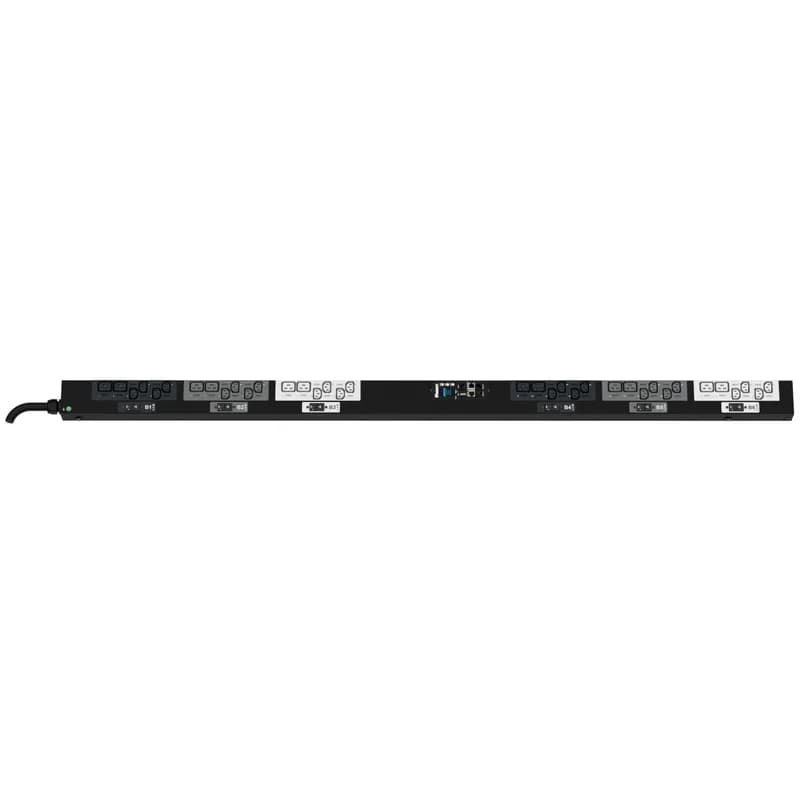
- 24 x C13 outlets and 12 x C19 outlets for versatile equipment connectivity.
- 32 amp, 400 V, three-phase power distribution for high-density environments.
- Monitored per outlet for granular power consumption insights.
- IEC 60309 3P+N+E 6h 32A (IP44) input plug for secure power connection.
- 10 foot (3m) power cord for flexible installation.
Specifications
Color | Black |
Connection Type | IEC 60309 3P+N+E 6h |
Current Rating | 32 A |
Ip Rating | IP44 |
Poles | 3P+N+E |
Series | G6 Monitored Per Outlet PDU |
Voltage Rating | 400 V |
Package Dimensions (L x W x H) | 78 IN x 8.2 IN x 4.6 IN |
Package Dimensions (L x W x H) | 198.12 cm x 20.828 cm x 11.684 cm |
Package Weight (Imperial) | 23.9000 L |
Package Weight (Metric) | 10.8410 kg |
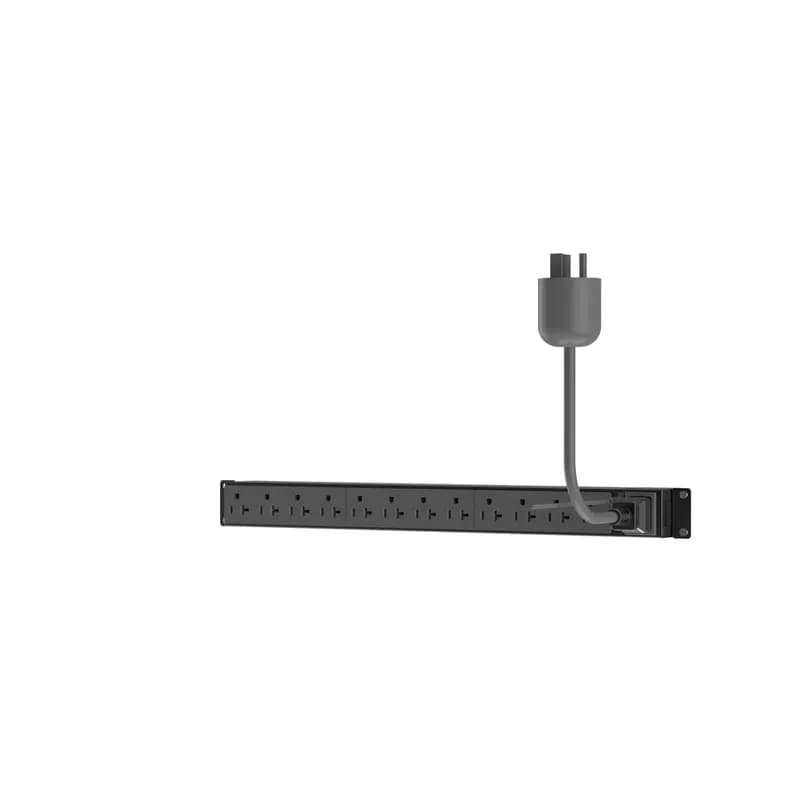
P12B19M
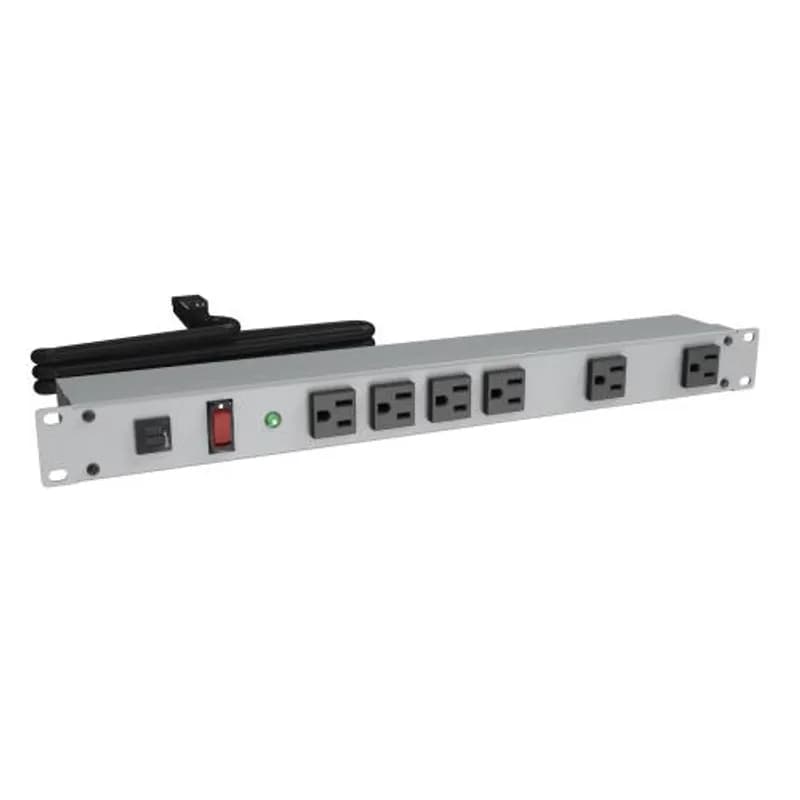
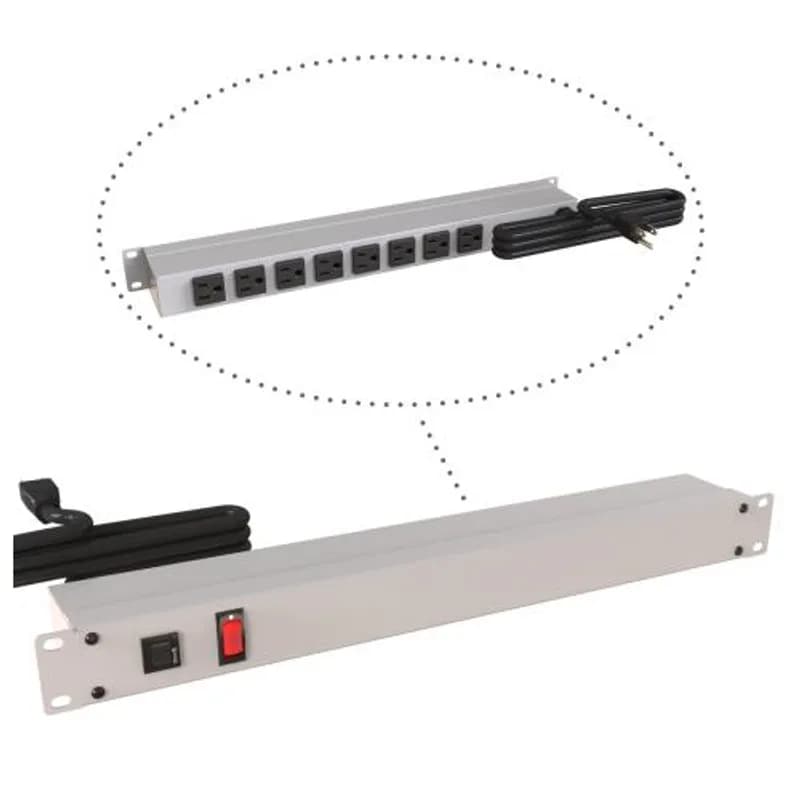
This Panduit G5 Basic PDU features (12) 5-20R outlets. It is a 20 amp, 120 V, single phase PDU with a NEMA 5-20P input plug and a 10 foot (3m) power cord. The PDU is black.
P36G16G
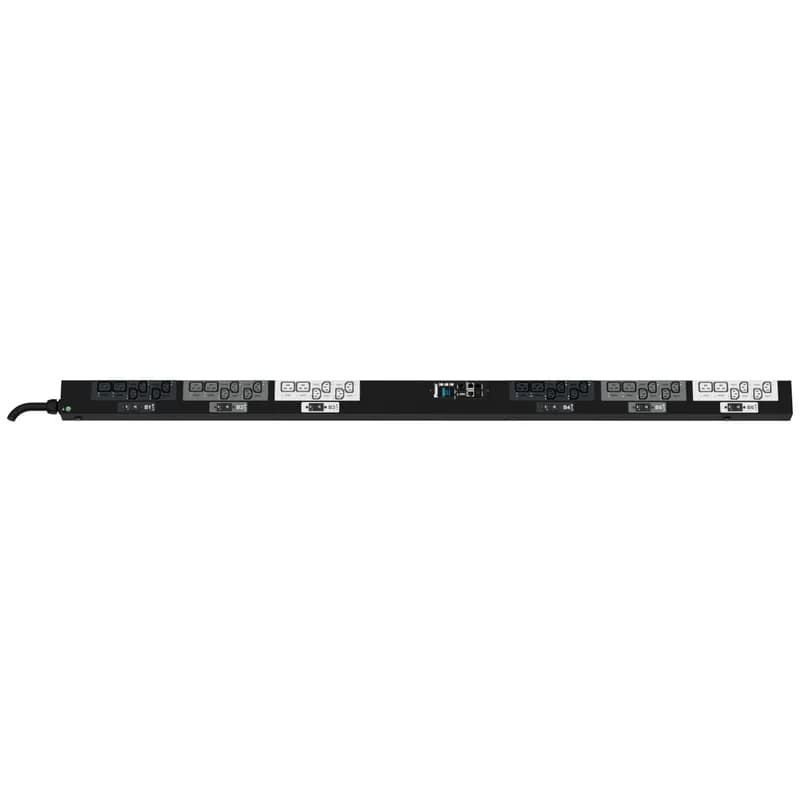
The Panduit™ G6 Monitored & Switched per Outlet PDU features (24) C13 and (12) C19 outlets. It is a 32 amp, 400 V, three phase PDU with an IEC 60309 3P+N+E 6h 32A (IP44) input plug and a 10 foot (3m) power cord. The PDU is black.

Frequently Asked Questions
What type of input plug does the PDU use?
It uses an IEC 60309 3P+N+E 6h 32A (IP44) input plug.
What is the length of the power cord?
The power cord is 10 feet (3 meters) long.
Is this a single-phase or three-phase PDU?
This is a three-phase PDU.
What is the power rating of this Panduit PDU?
This Panduit G6 Monitored Per Outlet PDU is rated for 32 amps and 400 volts.
How many C13 and C19 outlets does the PDU have?
The PDU features 24 C13 outlets and 12 C19 outlets.
How to Install and Configure a Panduit G6 Power Distribution Unit (PDU)
This guide provides comprehensive instructions for installing and configuring Panduit G6 Power Distribution Units (PDUs) in a datacenter rack, including mounting, wiring, and initial setup.
Estimated time: 1h
Tools needed:
Phillips screwdriver, Torx screwdriver
Supplies needed:
Mounting buttons, Mounting screws, Tie wraps, Ground bonding cable
- Prepare for Installation and Review Safety Information
Before beginning, thoroughly read all safety information in the PDU manual. Ensure installation is performed by qualified personnel in a temperature and humidity controlled, indoor environment. Verify that the branch circuit overcurrent protection is appropriate and that the feed circuit breaker for the PDU's power source is in the OFF position to prevent electric shock.
- Install PDU Mounting Hardware and Mount the PDU
For non-Panduit racks, align and install the mounting buttons with screws into the appropriate holes on the PDU (either opposite the outlets for center-facing, or on the sides for back/front-facing). Then, install the PDU by inserting the mounting buttons into the keyhole slots on the PDU mounting bracket in the rack. Ensure the PDU is securely attached.
- Attach the Universal Input Cord (if applicable)
If using a Universal Input PDU, open the input cord connector latches on the PDU. Insert the appropriate input cord plug firmly into the connector. Close the latches to lock the input cord securely into place. Note that the input cord plug might obstruct the top three RUs if installed at the top.
- Ground the PDU
Locate the external ground bonding point on the PDU chassis. Connect a ground bonding cable (minimum 12 AWG for up to 32A, 8 AWG for up to 63A, 6 AWG for up to 80A) from this point to a known earthed reference terminal, grounding strip, or bus bar in the rack. Use the provided star washer and ensure a secure connection for supplementary earth bonding.
- Configure Universal Input PDU Type via Web Interface (if applicable)
For Universal Input PDUs, connect to the PDU's web interface (refer to the User Manual for initial access). Navigate to the 'System Management' page under 'Settings'. Select 'Set Input Cord' under actions, then choose the correct cord type from the dropdown menu. Select 'Save' to apply the setting; the PDU will reset. Incorrect selection may lead to inaccurate metering.
- Connect the PDU to a Power Source
Ensure the feed circuit breaker for the dedicated branch circuit is OFF. Verify that all circuit breakers on the PDU itself are set to the ON position. Connect the PDU's input power cord to the appropriately rated branch circuit. Finally, turn the feed circuit breaker ON. The PDU's OLED screen will display a status bar during loading, then the Main Menu. Switched and Monitored & Switched PDUs will show outlet power-up lights.
- Secure Connected Power Cords
For devices connected to the PDU, utilize the integrated cord retention feature. Plug in the device's power cord, then use the provided tie wraps. Slide one end of the tie wrap into the notch on the PDU next to the outlet, wrap it around the power cord, and secure the tie wrap to prevent accidental disconnects.
Frequently Asked Questions about Panduit
What environmental ratings do Panduit products have?
Panduit products feature comprehensive environmental ratings across multiple standards, including UL 508A Type 1, 2, 3, 4, 4X, 12, and 13; CSA Type 1, 2, 3, 4, 4X, 12, and 13; and NEMA Type 1, 2, 3, 4, 4X, 12, and 13. They meet IEC 60529 IP66 rating, providing robust protection against dust, water, and corrosion in both indoor and outdoor environments, with operating temperatures ranging from -40°C to 130°C.
What certifications and standards do Panduit products comply with?
Panduit products are certified to multiple critical industry standards, including UL (Underwriters Laboratories) in the USA and Canada, CSA (Canadian Standard Association), EN IEC 61386, LVD 2006/G5/EC, and ARRA standards. Our products meet rigorous certifications for electrical safety, environmental compliance (WEEE and RoHS), and are designed to perform in extreme temperatures ranging from -55°C to 105°C, making them suitable for demanding industrial environments.
What industries and applications are Panduit products used for?
Panduit products are engineered for critical applications across multiple industries, including commercial construction, food and beverage, oil and gas, renewable energy, transportation, and safety-critical environments. Their solutions span electrical infrastructure, wire management, cable ties, power connectors, and safety systems designed to withstand extreme conditions like high vibration, temperature variations, UV exposure, and corrosive agents. Key industries include solar and wind energy, aerospace, heavy trucking, military, commercial transportation, and industrial manufacturing.
What are the main product lines offered by Panduit?
Panduit offers a comprehensive range of electrical infrastructure products including power connectors, cable ties, grounding connectors, identification products, safety solutions, terminals, cable cleats, wiring duct, and cable tie accessories. These products are engineered for industrial environments across multiple sectors like commercial construction, food and beverage, oil and gas, renewable energy, transportation, and safety applications.
What are the key features of Panduit products?
Panduit products are engineered for robust performance in heavy-duty industrial environments, featuring a comprehensive range of solutions including cable ties, power connectors, terminals, and identification products. Key features include proven quality performance, subject matter expertise, and customer-driven innovation across multiple industrial sectors such as commercial construction, food and beverage, oil and gas, renewable energy, transportation, and safety applications. The product line is designed to maximize productivity, reliability, and safety while meeting stringent industry standards.
What is Panduit's warranty policy?
Panduit provides a comprehensive Limited Product Warranty that can be fully reviewed on their official website at www.panduit.com/warranty. All Panduit products are subject to the terms, conditions, and limitations of this current warranty. Customers are advised to review the specific warranty details for their particular product, as Panduit requires buyers to determine product suitability for their intended use and assumes all associated risks.
What technical support does Panduit offer?
Panduit offers comprehensive technical support through their dedicated customer service team, accessible via phone at 1-800-777-3300. They provide expert assistance for their full range of industrial infrastructure products, including cable ties, power connectors, terminals, and identification solutions. Customers can also access additional technical resources and product information through their website at www.panduit.com.
What accessories are available for Panduit products?
Panduit offers a wide range of accessories across multiple product lines, including cable ties, cable tie accessories, cable tie tools, identification products, cable cleats, grounding connectors, and VeriSafe accessories like the VeriSafe Network Module and Insulation Piercing Connectors. For a comprehensive view of all available accessories, customers are recommended to visit www.panduit.com for the full product catalog.
How are Panduit products typically installed?
Panduit products are engineered for comprehensive installation across industrial environments, utilizing specialized tools and techniques for precise mounting. Installation methods vary by product line - from cable ties and power connectors to terminals and identification solutions - but all are designed for robust performance in heavy-duty settings. Technicians typically use Panduit's dedicated installation tools and follow manufacturer guidelines available at www.panduit.com to ensure proper fitting and maximum infrastructure reliability.