
CompleTech CA930B4 bidirectional stacked broadside - Frequency range: 880-960 MHz - Gain: 9 dBi…
Documents & Media
Contact for Pricing
Call +1 (262) 252-1600 (toll-free 877-268-3700) or email [email protected] for pricing and availability.
Overview
- Bidirectional stacked broadside antenna for 880-960 MHz
- 9 dBi gain with vertical polarization
- Durable ABS/FG radome with PU foam filling, IP67 rated
- N-female connector and VSWR <1.5 for optimal signal integrity
- Mounts on 35-60 mm diameter poles, DC-short circuited lightning protection
Specifications
Connection Type | N-female |
Connector | N-female |
Frequency | 880-960 MHz |
Gain | 9 dBi |
Length | 587 mm |
Material | copper, ABS/FG PU foam |
Mounting Diameter | Ø 35-60 |
Mounting Type | 35-60 mm diameter pole |
Polarization | vertical |
Radiator Material | copper |
Radome | ABS/FG, PU foam |
Series | CA930B4 |
VSWR | <1.5 |
Weight | 3125 g |
Wind Load | 100 N @ 150 km/h |
CA400B4
bidirectional stacked broadside - Frequency range: 380-410 MHz - Gain: 9 dBi - Polarization: vertical - Connector: N-/TNC-female - VSWR: <1.5 - Radome: ABS/FG PU foam - Radiator material: copper - Mounting: 35-60 mm diameter pole - Wind load: 136 N

CA160B4
bidirectional stacked broadside - Frequency range: 154-166 MHz - Gain: 9 dBi - Polarization: vertical - Connector: N-/TNC-female - VSWR: <1.5 - Radome: ABS/FG PU foam - Radiator material: copper - Mounting: 35-60 mm diameter pole - Wind load: 228 N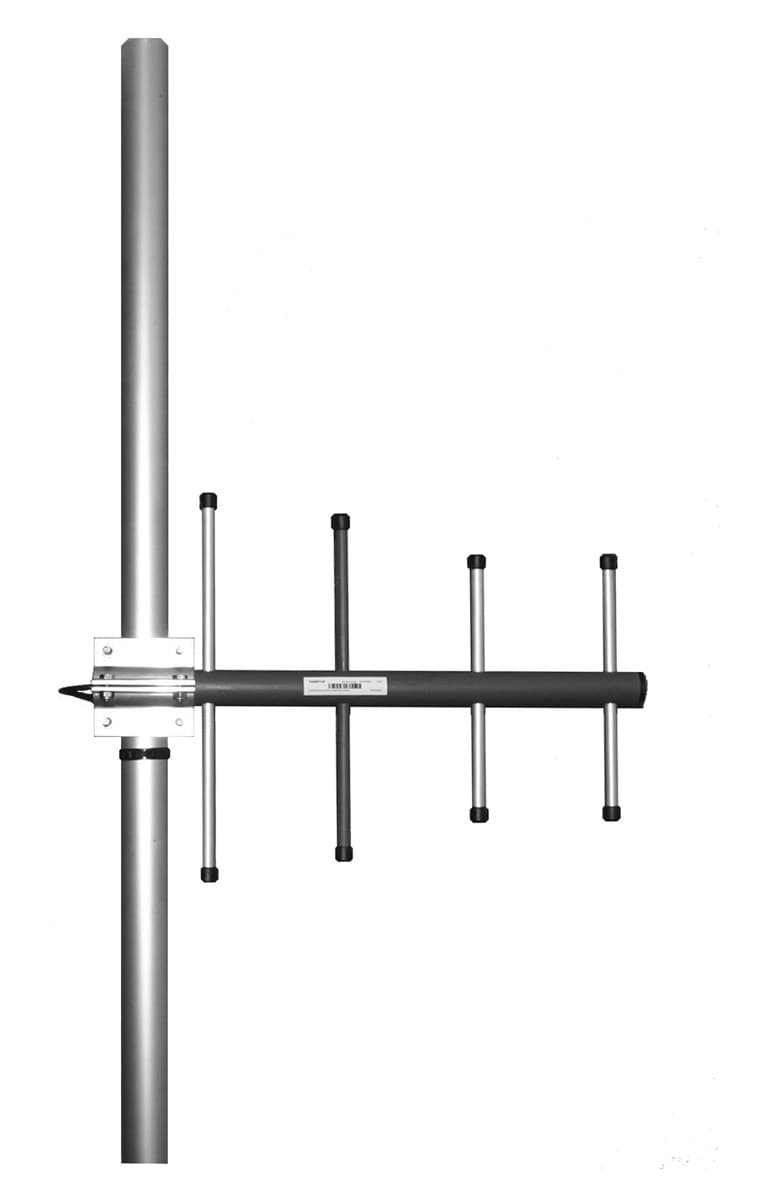
CA140Y+
directional yagi - Frequency range: 135-145 MHz - Gain: 8 dBi - Polarization: vertical/horizontal - Connector: N-/ TNC-/ 7/16-female - VSWR: <1.5 - Radome: ABS/FG PU foam - Radiator material: copper - Mounting: 35-60 mm diameter pole - Wind load: 171 N
CA140S4
directional stacked yagi array - Frequency range: 135-145 MHz - Gain: 12 dBi - Polarization: vertical/horizontal - Connector: N-/TNC-female - VSWR: <1.5 - Radome: ABS/FG PU foam - Radiator material: copper - Mounting: 35-60 mm diameter pole - Wind load: 336 NCA150Y+
directional yagi - Frequency range: 144-156 MHz - Gain: 8 dBi - Polarization: vertical/horizontal - Connector: N-/ TNC-/ 7/16-female - VSWR: <1.5 - Radome: ABS/FG PU foam - Radiator material: copper - Mounting: 35-60 mm diameter pole - Wind load: 160 N
CA150C4
offset pattern collinear - Frequency range: 144-156 MHz - Gain: 11 dBi - Polarization: vertical - Connector: N-/TNC-female - VSWR: <1.5 - Radome: ABS/FG PU foam - Radiator material: copper - Mounting: 35-60 mm diameter pole - Wind load: 240 NHow to Install the CA930B4 Controller
This guide provides step-by-step instructions for installing and configuring the CA930B4 Controller, ensuring proper wiring and calibration for optimal performance.
Estimated time: 45m
Tools needed:
Screwdriver, Wire strippers, Multimeter
Supplies needed:
Mounting screws, Self-amalgamating tape, Terminal connectors
- Mount the controller
Secure the CA930B4 Controller to the designated mounting location using the provided mounting screws. Ensure it is level and firmly attached.
- Connect the wiring
Use wire strippers to prepare the wires and connect them to the appropriate terminals on the controller. Ensure all connections are tight and secure.
- Seal the connections
Cover all connectors and cable junctions with self-amalgamating tape to protect against weather conditions. Ensure no exposed wires are left uncovered.
- Verify connections
Use a multimeter to check the continuity of the connections. Ensure that all connections are functioning correctly before proceeding.
- Calibrate the controller
Follow the manufacturer's instructions to calibrate the CA930B4 Controller. Adjust settings as necessary for optimal performance.