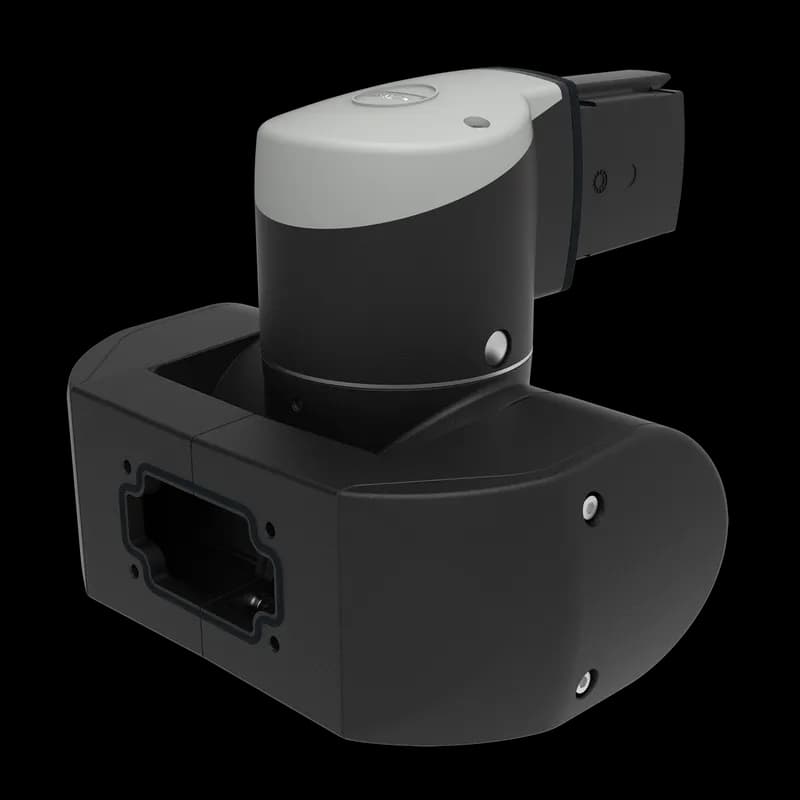
Contact for Pricing
Overview
- Rotation angle 300 degrees with stop
- Tilt angle with adjustable stop +/- 105 degrees (without attachments)
- Screwed mounting opening, suitable for feed-through of DVI connectors
- Load rating: 281 lb (127 kg) at 3.3 ft (1 m) with reduction elbow
- Corrosion-resistant finish for harsh industrial environments
Specifications
Application | Controls and Drives |
Color | Jet Black |
Color Code | RAL 9005 |
Depth | 263 mm |
Depth | 10.35 in |
Finish | Powder Coated |
Height | 207 mm |
Height | 8.15 in |
Material | Aluminum |
Product Family | Syspend 281-Max |
Protection Rating | IP65 |
Type | Syspend 281-Max |
Weight | 11.48 lb |
Width | 256 mm |
Width | 10.08 in |
Package Dimensions (L x W x H) | 2 IN x 2 IN x 2 IN |
Package Dimensions (L x W x H) | 5.08 cm x 5.08 cm x 5.08 cm |
Package Weight (Imperial) | 2.000 L |
Package Weight (Metric) | 0.907 kg |
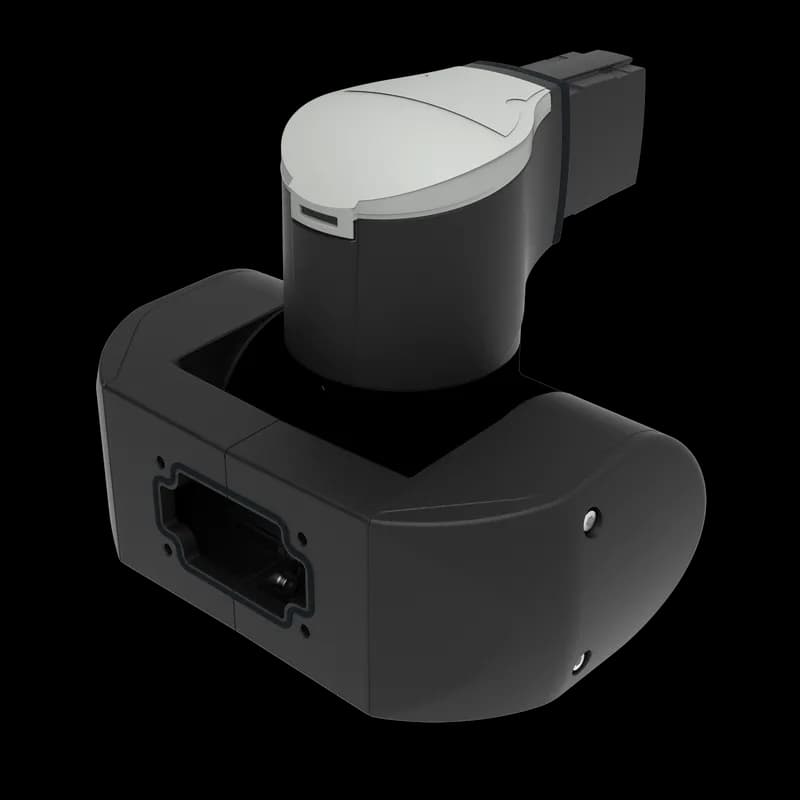
How to Install and Adjust the SYSPEND 281-MAX Suspension System
This guide provides step-by-step instructions for mounting the SYSPEND 281-MAX suspension tube, aligning it, adjusting component tightness, and fixing it to an enclosure. Ensure all safety precautions are followed.
Estimated time: 1h
Tools needed:
Hex key SW 6, Hex key SW 2.5, Hex key SW 4, Torque wrench, Special tool 9805421000
Supplies needed:
Gaskets, M12x12 screws, M3 cylinder screws, M6x16 or M6x25 screws, Retaining washers
- Mount the Suspension Tube
Begin by pressing the gasket flat. For vertical mounting, tighten screws 1-6 until flush, then fit the tube. Press the gasket with the tube in axial direction while tightening screws 3 and 4 until there is no play. Maintain pressure and tighten screws 5 and 6 to 20 Nm. For horizontal mounting, follow a similar procedure using screws 7-12. Ensure the gap is a maximum of 4.4 mm. Caution: Do not reach into tubes during this process.
- Align the Suspension Tube
To align the tube vertically, slacken screws 3 and 4, then tighten screws 1 and 2. To adjust further, tighten screws 3 and 4, then slacken screws 1 and 2. For horizontal alignment, slacken screws 11 and 12, then tighten screws 7 and 8. To adjust further, tighten screws 11 and 12, then slacken screws 7 and 8. Repeat as necessary to achieve desired alignment.
- Adjust Component Swing Torque
Important: Perform this adjustment BEFORE installing the components to avoid breakage or personal injury. Unscrew the cover. Loosen the M3 cylinder screws so their heads lift 2-3 mm (do not unscrew completely). Loosen the threaded sleeve anticlockwise by a maximum of 1 revolution using special tool 9805421000. Set the desired swing torque by tightening the threaded sleeve clockwise. Correct the position of the through holes by tightening clockwise. Screw the M3 screws to the stop and tighten to 1.5 Nm. Finally, mount the cover.
- Fix to Enclosure
Secure the SYSPEND 281-MAX system to the enclosure. For standard fixing, use four retaining washers and four M6x16 or M6x25 screws. Tighten these screws to a torque of 6 Nm using an SW 4 hex key. If using a VESA 75/100 adapter plate, use four M6x20 screws instead, also tightening to 6 Nm.
Frequently Asked Questions about nVent
What industries and applications are nVent products used for?
nVent products are engineered for critical infrastructure and industrial applications across multiple demanding sectors. Key markets include Construction, Data Centers, Defense, Healthcare, Mining, Oil & Gas Refineries, Power Plants, Rail/Transit, Renewable Energy, Security, Ship Building, Steel Mills, Telecom, and Utilities. Their solutions are designed to withstand extreme environmental conditions, with temperature ranges from -55°C to 105°C and specialized features like UV resistance, oil resistance, and flame resistance.
What environmental ratings do nVent products have?
nVent enclosures feature comprehensive environmental ratings, including UL 508A, CSA, and NEMA Type 1, 2, 3, 4, 4X, 12, and 13 certifications. They are rated IEC 60529 IP66, providing robust protection against dust, water, and corrosion in both indoor and outdoor environments. These products operate effectively in temperatures ranging from -40°F to 266°F, with enhanced UV inhibitors for outdoor weathering and oil-resistant gaskets for superior sealing.
What accessories are available for nVent products?
nVent offers a comprehensive range of accessories across multiple product lines, including EMC accessories like bonding cable clamps and strain reliefs, inline accessories such as lock inserts and mounting brackets, CONCEPT accessories including panel conversion kits and rack-mount angles, and seismic accessories for specialized mounting requirements. Key accessory categories include grounding kits, DIN rail mounting solutions, panel supports, handles, and various mounting hardware compatible with different enclosure types.
What certifications and standards do nVent products comply with?
nVent products meet critical international certifications including UL (United States), CSA (Canada), CE (European Community), and EAC (Russia). Our products are designed to comply with rigorous industrial standards such as NEMA enclosure ratings, IEC 60529 IP ratings, and international safety standards across multiple industrial markets including oil & gas, power, manufacturing, and infrastructure.
What is nVent's warranty policy?
nVent offers a standard 18-month warranty from invoicing date for most automation products, covering defects in workmanship and materials. The warranty requires proper transportation, handling, storage, and installation within specified environmental conditions. Warranty coverage includes repair or replacement at nVent's discretion, with certain conditions such as authorized service repairs and operation within designed capacity limits.
What technical support does nVent offer?
nVent offers comprehensive technical support through multiple global contact centers across North America, South America, Europe, Middle East, India, and Asia. Customers can reach technical experts by phone at regional numbers, with the North American headquarters in Minneapolis, MN providing primary support at +1.763.421.2240. Additionally, nVent provides online support resources through their website, including CAD drawing downloads and an 'Ask The Expert' feature to assist with product technical inquiries.