
nVent A4AXFNGQ Compact Axial Fan 4-inch Power Cord Quiet, 115VAC 49CFM, Black, Steel
UPC: 783510138523
Documents & Media
Contact for Pricing
Call +1 (262) 252-1600 (toll-free 877-268-3700) or email [email protected] for pricing and availability.
Overview
- Maximum operating temperature is 158 F (70 C)
- 4-inch fan is thermally protected and uses permanently lubricated ball bearings
- 6- and 10-inch fans have ball-bearing construction and split-capacitor motors
- Split-capacitor motors are thermally protected to avoid premature failure
- Dynamically balanced impellers molded from polycarbonate material
- One finger guard is furnished (additional finger guards are available)
- All mounting hardware is provided
- 240 and 560 CFM fans have ball bearing construction and split capacitor motors
- Fans have leadwires with ends stripped 1/2-inch (12-mm) or 6-foot (1.8-m) cord with polarized plug for power connections
- Fan bracket and additional finger guards must be purchased separately
Specifications
Airflow | 83 m³/h |
Airflow | 49 ft³/min |
Amperage Rating | .09/.08 A |
Application | Datacom and Telecom Equipment;Networking, Storage and Data Center |
Blade Size | 4.69 in |
Blade Size | 119.126 mm |
Color | Jet Black |
Color | Black |
Color Code | RAL 9005 |
Connection Type | Power Cord |
Depth | 1.74 in |
Depth | 44 mm |
Fan Diameter | 4.69 in |
Fan Speed | 1450 RPM at 60 Hz |
Finish | Powder Coated |
Flow Rate | 46/49 CFM max |
Height | 117 mm |
Height | 4.62 in |
Material | Steel |
Material | Mild Steel |
Max Current | 0.09 A |
Motor Type | AC Motor |
Nominal Voltage | 115 V |
Size | 115v 50/60Hz in |
Size | 4-inch |
Sound Pressure Level | 28 dBA at 60 Hz |
Type | Fans and Filter Fans |
Voltage AC | 100-120 V |
Voltage Rating | 100 - 120 VAC |
Voltage Rating | 115 VAC |
Weight | 1.9 lb |
Width | 4.62 in |
Width | 117 mm |
Package Dimensions (L x W x H) | 7.8 IN x 7.7 IN x 4.8 IN |
Package Dimensions (L x W x H) | 19.812 cm x 19.558 cm x 12.192 cm |
Package Weight (Imperial) | 1.900 L |
Package Weight (Metric) | 0.862 kg |

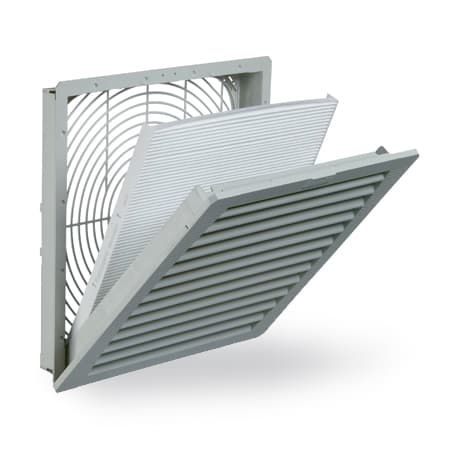


APA10AXFN2
Axial Fan Package, 10 in, Bulletin D85 (Hoffman Thermal Management Products - Hoffman Cooling Fans), Size/Dims: 230v 50/60HzAPA6AXFN2
Axial Fan Package, 6 in, Bulletin D85 (Hoffman Thermal Management Products - Hoffman Cooling Fans), Size/Dims: 230v 50/60HzHow to Install the A4AXFNGQ Cooling Fan
This guide provides step-by-step instructions for installing and wiring the A4AXFNGQ cooling fan safely and effectively.
Estimated time: 45m
Tools needed:
Screwdriver, Wire strippers, Multimeter
Supplies needed:
Mounting screws, Terminal connectors
- Disconnect power supply
Before beginning installation, disconnect the power supply to prevent electrical shock and equipment damage.
- Mount the fan
Determine the fan mounting location and secure the fan in the desired position using the supplied screws, nuts, and lockwashers. Ensure the fan is level and firmly attached.
- Connect the wiring
Connect the two fan leadwires to the appropriate voltage power source. Ensure all wiring complies with local codes and ordinances.
- Ground the fan
Ground the fan housing using a lead sized per N.E.C. standards. Use the provided green screw to connect the separate ground wire to the fan housing slot.
- Verify connections
Use a multimeter to verify that all connections are secure and that there are no exposed wires contacting the fan housing.
- Re-energize the circuit
Once all connections are verified and secure, re-energize the circuit and test the fan operation.
Frequently Asked Questions about nVent
What industries and applications are nVent products used for?
nVent products are engineered for critical infrastructure and industrial applications across multiple demanding sectors. Key markets include Construction, Data Centers, Defense, Healthcare, Mining, Oil & Gas Refineries, Power Plants, Rail/Transit, Renewable Energy, Security, Ship Building, Steel Mills, Telecom, and Utilities. Their solutions are designed to withstand extreme environmental conditions, with temperature ranges from -55°C to 105°C and specialized features like UV resistance, oil resistance, and flame resistance.
What environmental ratings do nVent products have?
nVent enclosures feature comprehensive environmental ratings, including UL 508A, CSA, and NEMA Type 1, 2, 3, 4, 4X, 12, and 13 certifications. They are rated IEC 60529 IP66, providing robust protection against dust, water, and corrosion in both indoor and outdoor environments. These products operate effectively in temperatures ranging from -40°F to 266°F, with enhanced UV inhibitors for outdoor weathering and oil-resistant gaskets for superior sealing.
What accessories are available for nVent products?
nVent offers a comprehensive range of accessories across multiple product lines, including EMC accessories like bonding cable clamps and strain reliefs, inline accessories such as lock inserts and mounting brackets, CONCEPT accessories including panel conversion kits and rack-mount angles, and seismic accessories for specialized mounting requirements. Key accessory categories include grounding kits, DIN rail mounting solutions, panel supports, handles, and various mounting hardware compatible with different enclosure types.
What certifications and standards do nVent products comply with?
nVent products meet critical international certifications including UL (United States), CSA (Canada), CE (European Community), and EAC (Russia). Our products are designed to comply with rigorous industrial standards such as NEMA enclosure ratings, IEC 60529 IP ratings, and international safety standards across multiple industrial markets including oil & gas, power, manufacturing, and infrastructure.
What is nVent's warranty policy?
nVent offers a standard 18-month warranty from invoicing date for most automation products, covering defects in workmanship and materials. The warranty requires proper transportation, handling, storage, and installation within specified environmental conditions. Warranty coverage includes repair or replacement at nVent's discretion, with certain conditions such as authorized service repairs and operation within designed capacity limits.
What technical support does nVent offer?
nVent offers comprehensive technical support through multiple global contact centers across North America, South America, Europe, Middle East, India, and Asia. Customers can reach technical experts by phone at regional numbers, with the North American headquarters in Minneapolis, MN providing primary support at +1.763.421.2240. Additionally, nVent provides online support resources through their website, including CAD drawing downloads and an 'Ask The Expert' feature to assist with product technical inquiries.