
ABB - Electrification
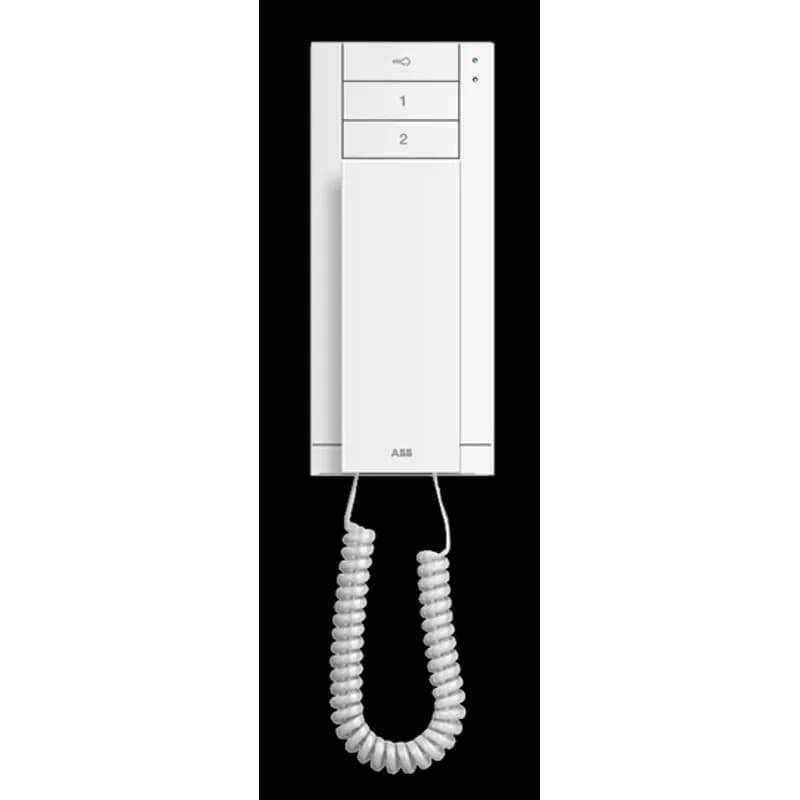
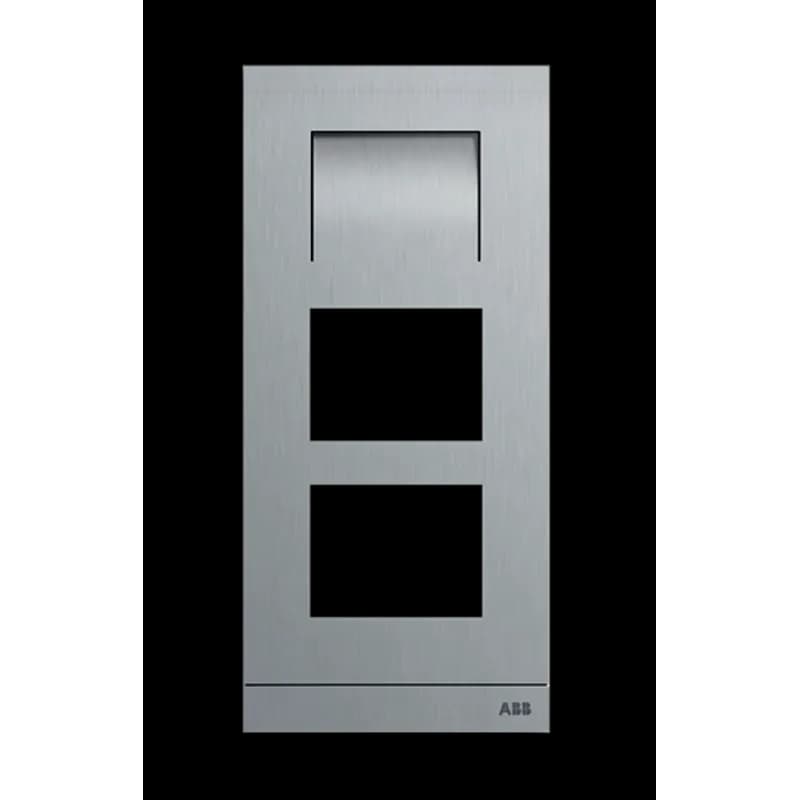
M21321K-S
Contact for Pricing
Overview
- Integrated keypad for user input
- Speech synthesis for audio output
- Facilitates secure and efficient industrial interaction
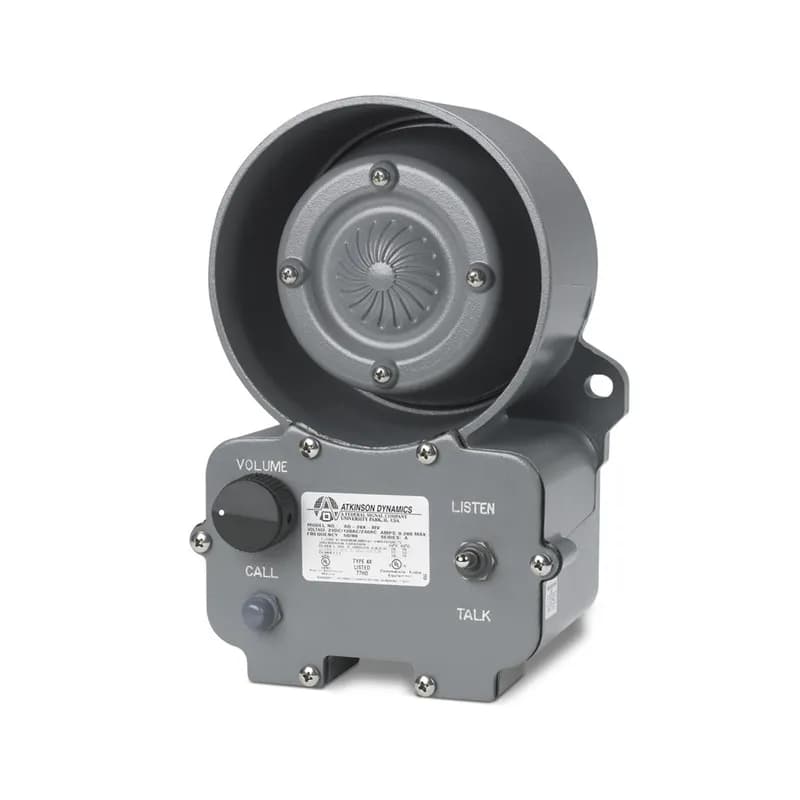
- Suitable for access control and emergency communication
- Enhances operational efficiency in automation systems
Specifications
Application | Mainly used for controlling 3-phase motors and generally for controlling power circuits up to 690 V AC and 220 V DC. The contactors can also be used for many other applications such as bypass, capacitor switching, lighting, DC power circuits. |
Size | 82x110x108mm |
Special Features | Terminal type: Screw terminals |
Standard | RoHs, CSA, cUL, CE, GOST |
Type | Contactors |
Package Dimensions (L x W x H) | 17.13 IN x 5.43 IN x 2.4 IN |
Package Dimensions (L x W x H) | 43.5102 cm x 13.7922 cm x 6.096 cm |
Package Weight (Imperial) | 3.450 L |
Package Weight (Metric) | 1.565 kg |


Frequently Asked Questions
What types of buildings can the system be installed in?
The Welcome M system is suitable for single-family houses, multi-family buildings, high-rise buildings, and residential complexes.
What is the maximum number of indoor stations?
The system can support up to 250 indoor stations in a single building or networked system.
Can the system be retrofitted into existing buildings?
Yes, the Welcome M system can be easily retrofitted into existing buildings, even converting a plain bell system to an audio or video system.
How many outdoor stations can be connected?
Up to 9 outdoor stations can be installed in a single video system with one building or villa.
What is the purpose of the system controller?
The system controller manages the devices connected in the insulated system and controls communication on the 2-wire bus.
What types of indoor stations are available?
The system offers various indoor stations, including video hands-free, video handset, and audio handset options.
What is the installation wiring type?
The installation can utilize a looped wiring system or branch connections depending on the configuration.
What is the voltage requirement for the system?
The Welcome M system operates on a 2-wire bus technology, but specific voltage requirements are not detailed in the document.
Are there safety precautions for installation?
While specific safety warnings are not detailed, it is recommended to follow standard electrical safety practices during installation.
What maintenance is required for the system?
The document does not specify maintenance requirements, but regular checks on connections and functionality are advisable.
How to Install the M21321K-S Outdoor Station
Installation and basic configuration guide for the M21321K-S outdoor station, part of the ABB-Welcome door entry system.
Estimated time: 1h
Tools needed:
Screwdriver, Wire strippers, Multimeter
Supplies needed:
Mounting screws, Terminal connectors, Flush-mounted installation socket, Rain hood
- Prepare for Installation
Ensure you have the necessary tools and supplies. Verify that the M21321K-S outdoor station is compatible with ABB-Welcome system components and will be used with a suitable ABB flush-mounted installation socket and rain hood. Disconnect the mains power supply before proceeding.
- Mount the Outdoor Station
Mount the M21321K-S outdoor station according to the general installation instructions and specific mounting guidelines provided in the manual. Ensure it is securely attached to the chosen installation socket and protected by a rain hood if applicable.
- Connect Wiring
Connect the necessary wiring to the terminals on the outdoor station module. Refer to the 'Terminal description' section for specific modules (e.g., Audio, Camera, Pushbutton, Keypad) to identify the correct terminals for bus connection, door opener, power supply, and any additional modules or devices.
- Set the Outdoor Station Address
Set the address for the outdoor station using the rotary switch (terminal 11 on the audio module). Addresses range from 1 to 9. For initial setup or specific configurations, you may need to set the address to '0' temporarily.
- Configure Door Lock Release Time
If applicable, adjust the door lock release time using the potentiometer (terminal 16 on the audio module). The time can be set from 1 to 10 seconds. If using a second lock, adjust its release time separately.
- Configure Pushbutton Functions
Configure the functions of the 1st and 2nd pushbuttons using the DIP switches (terminals 13 and 14 on the audio module). Options include calling an indoor station, switching on lighting, or calling a guard unit. Refer to the manual for specific DIP switch combinations.
- Configure Pushbutton Column Mode
Set the pushbutton configuration to single or double column mode using the DIP switch (terminal 13 on the audio module). This affects how buttons are arranged and numbered.
- Set Language for Voice Messages (if applicable)
If the audio module has a speech synthesis function, set the local language. With the outdoor station address set to '0', hold the 1st button for 3 seconds to enter setting mode, then click the button to select the language and hold to save.
- Configure Keypad Module Settings (if applicable)
If a keypad module is installed, access system settings by pressing '#* system password #' (default 345678). From here, you can set the device type (outdoor or gate station), modify the system password, change the door open code, set the voice message language, and enable/disable access control.
- Configure Display and Card Reader Module Settings (if applicable)
For modules with a card reader, register a master card by disconnecting and reconnecting power, then holding the 'program button' for 5 seconds within 30 seconds. Swipe any card to set it as the master card. Use the master card to access settings like programming cards, language, Wiegand output, door selection, and date/time.
- Enroll Cards for IC/NFC Module (if applicable)
For round pushbutton modules with NFC/IC card readers, create an admin card by swiping a card after powering up. Use the admin card to enter settings and enroll or delete user cards, enroll new admin cards, delete admin cards, or delete all users. You can also set the Wiegand format and switch validation on/off.
- Verify Installation
After completing the installation and configuration steps, verify that all modules are functioning correctly. Test calls to indoor stations, door lock release, and any other configured functions. Check the LED indicators for status information.
Frequently Asked Questions about ABB - Electrification
What industries and applications are Jokab Safety products used for?
Jokab Safety products are specifically designed for machine safety applications across multiple critical industrial sectors, including Food and Beverage, Packaging, and Material Handling industries. Their safety solutions cover a wide range of machine safeguarding needs, such as safety light guards, safety controllers, safety relays, safety edges, safety mats, and two-hand control devices that protect personnel and equipment in complex industrial automation environments.
What technical support does Jokab Safety offer?
Jokab Safety offers comprehensive technical support through multiple channels, including a dedicated technical support phone line at (888) 385-1221 (Option 1) and email support at [email protected]. For advanced technical assistance, customers can contact their specialized Jokab Tech Support at (519) 982-0976 or email [email protected]. Additionally, they provide product specialist support through Jeff Leslie, who can be reached at (519) 982-0976, offering in-depth application and technical guidance.
What are the main product lines offered by Jokab Safety?
Jokab Safety offers a comprehensive range of machine safety products including safety light guards (Orion), safety controllers (Pluto), safety relays (Sentry), safety edges, safety contact mats, safety locks (Gkey), and safety sensors with OSSD and DYNlink interfaces. Their product lines are specifically designed for industrial applications in food and beverage, packaging, and material handling industries, providing robust safety solutions for machine guarding and personnel protection.
What are the key features of Jokab Safety products?
Jokab Safety products offer comprehensive industrial safety solutions with key features including: highest safety certification levels (up to PL e/Cat 4), extensive fault detection, multiple safety device types (optical safety devices, pressure sensitive devices, sensors, switches, locks, emergency stops), and innovative DYNlink technology that reduces cable requirements and simplifies installation. Their products are certified, verified, and compatible with major industrial automation systems like B&R, featuring easy M12 connector connections and a wide range of adapters to streamline safety implementation.
What certifications and standards do ABB - Electrification products comply with?
ABB - Electrification products comply with a comprehensive range of international certifications and standards, including UL (United States), CSA (Canada), CE (European Community), UKCA (United Kingdom), EAC (Russia), and C-Tick (Australia & New Zealand). Our products meet critical international standards such as IEC 60947 series for low-voltage switchgear, functional safety standards EN 61800-5-2 and ISO 13849-1, and marine classification standards from Bureau Veritas, DNV, and Lloyd's Register of Shipping.
What industries and applications are ABB - Electrification products used for?
ABB - Electrification products are engineered for critical applications across multiple industries, including Energy, Oil & Gas, Manufacturing, Power Generation, HVAC, Marine, Food & Beverage, Mining, Pulp & Paper, Water Treatment, and Automotive. Their solutions cover essential electrical infrastructure needs such as switchgear, power distribution systems, circuit protection, digital control technologies, and drive systems designed for high-reliability environments with a strong focus on sustainability, efficiency, and safety.
What technical support does ABB - Electrification offer?
ABB - Electrification offers comprehensive technical support through multiple channels, including a dedicated technical support hotline at 888-385-1221 (Option 1), available 7:00 a.m. - 5:00 p.m. CST, Monday-Friday. Their support services encompass 24/7/365 emergency services, on-site support, remote monitoring and diagnostics, installation and commissioning, equipment assessments, repair coordination, and multi-vendor technical assistance. Customers can also access resources like personnel safety training, disaster recovery support, and service agreements tailored to their specific electrification needs.
What are the main product lines offered by ABB - Electrification?
ABB - Electrification offers a comprehensive range of electrical distribution and protection products, including circuit monitoring systems, panelboards, switchgear, motor control centers, circuit breakers, softstarters, and power distribution solutions. Key product lines span low and medium voltage applications across utilities, commercial, industrial, healthcare, and manufacturing sectors, with specialized offerings like the ReliaGear® panelboards, SMISSLINE TP bus systems, and Ekip UP protection and metering relays.
What are the key features of ABB - Electrification products?
ABB - Electrification products feature advanced integrated design elements that enhance industrial performance and reliability. Key features include harmonics and EMC design, integrated DC choke, removable terminals for fast installation, USB ports for troubleshooting, and integrated Safe Torque Off (STO) functionality. The products deliver superior motor control capabilities, support both induction and permanent magnet motors, and offer robust operational features like side-by-side mounting without derating and operation at temperatures up to 45°C. Additionally, ABB's Electrification solutions emphasize digital innovation, with technologies like Novolink enabling predictive maintenance, enhanced analytics, and seamless system integration.
What communication protocols do ABB - Electrification products support?
ABB - Electrification products support a comprehensive range of industrial communication protocols, including Modbus RTU, PROFIBUS DP, PROFINET, EtherNet/IP, CANopen, DeviceNet, and IEC 61850. These protocols enable flexible connectivity across multiple industrial automation platforms, with support for various network topologies and high-speed data transmission up to 100 Mbps.